11 Best AI Knowledge Base Tools for Teams in 2026 (With Pricing)
We compared 11 AI knowledge base and knowledge management tools — Buildin, Notion, Confluence, Guru, ClickUp, Slite, Document360, Obsidian, Glean, Zendesk, and Tettra — on AI search, collaboration, deployment, and price. Includes what each one costs and which team size it suits.
Most teams do not have a documentation problem. They have a retrieval problem. The information exists, but it sits in a Slack thread from March, a Google Doc nobody linked, or the head of someone who left in June.
That is what the current generation of knowledge base tools is built to fix. Instead of asking you to organize everything perfectly up front, they use AI search to find answers across whatever you have already written. This guide compares 11 of them on the things that actually decide the choice: how good the search is, whether it handles team collaboration, where the data lives, and what it costs.
What Is a Knowledge Management System?
A knowledge management system is a central place where a team documents processes, stores institutional knowledge, and makes it searchable. The difference between that and a shared drive is context: a knowledge management system knows how a document relates to a project, who owns it, and whether it is still current.
McKinsey has estimated that employees spend around 1.8 hours a day looking for information. That number is the whole argument for these tools. Whether a given product actually recovers that time depends less on its feature list than on two things — whether search returns the right answer, and whether anyone keeps the content up to date.
The tools below approach those two problems differently. Some bet on better retrieval. Some bet on forcing humans to verify content on a schedule. A few try both.
1. Buildin — Best Overall for Teams That Also Publish
Buildin combines documents, databases, wikis, and collaboration in one workspace, with AI search across all of it. What separates it from the rest of this list is that it treats documentation as something you can publish and charge for, not only something you store internally.
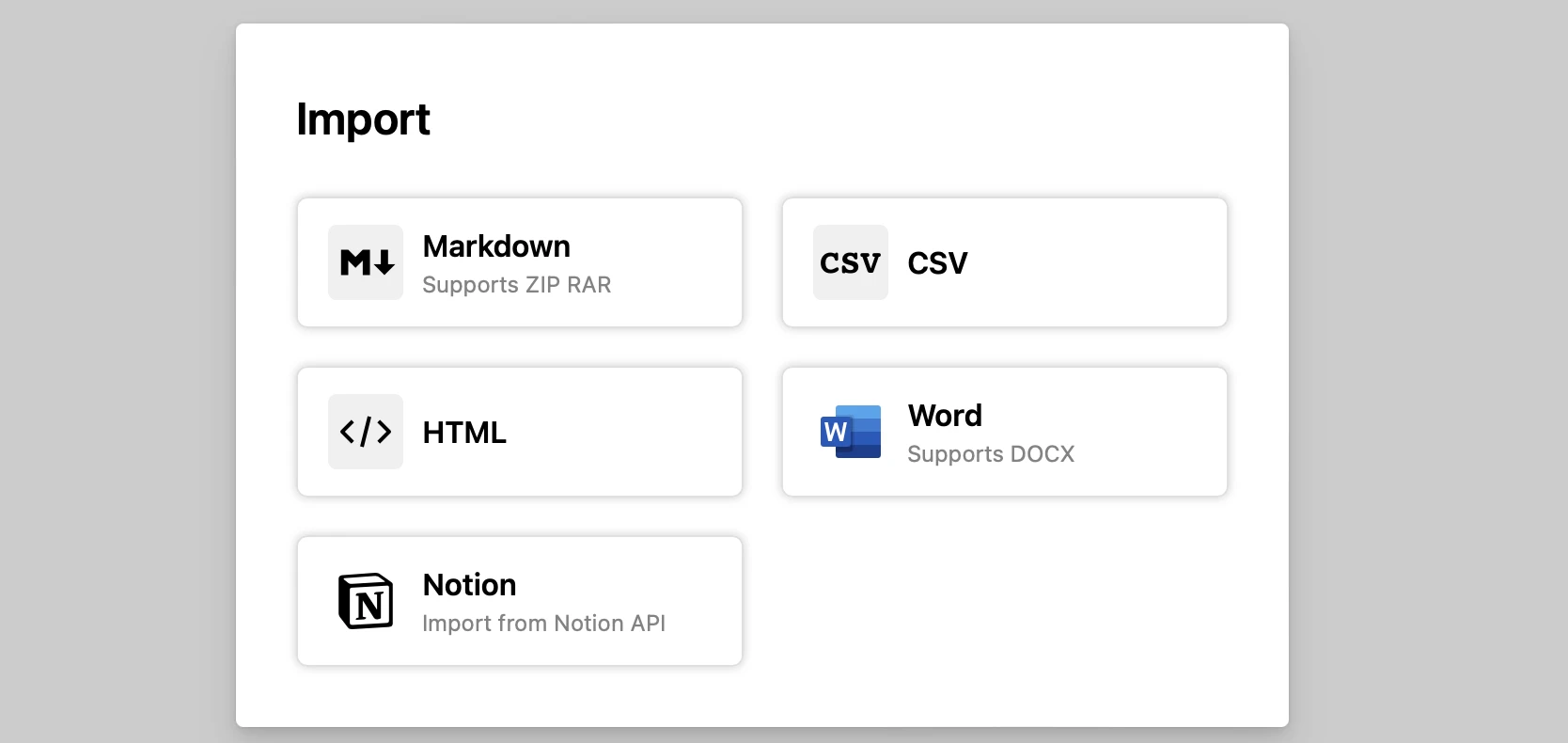
Migration from Notion
Most teams stay on the wrong tool because moving is painful. Markdown and CSV exports break database relations, and rebuilding them by hand takes weeks. Buildin imports directly through the Notion API and reconstructs the workspace structure — formulas, nested pages, and relations included.
AI and knowledge features
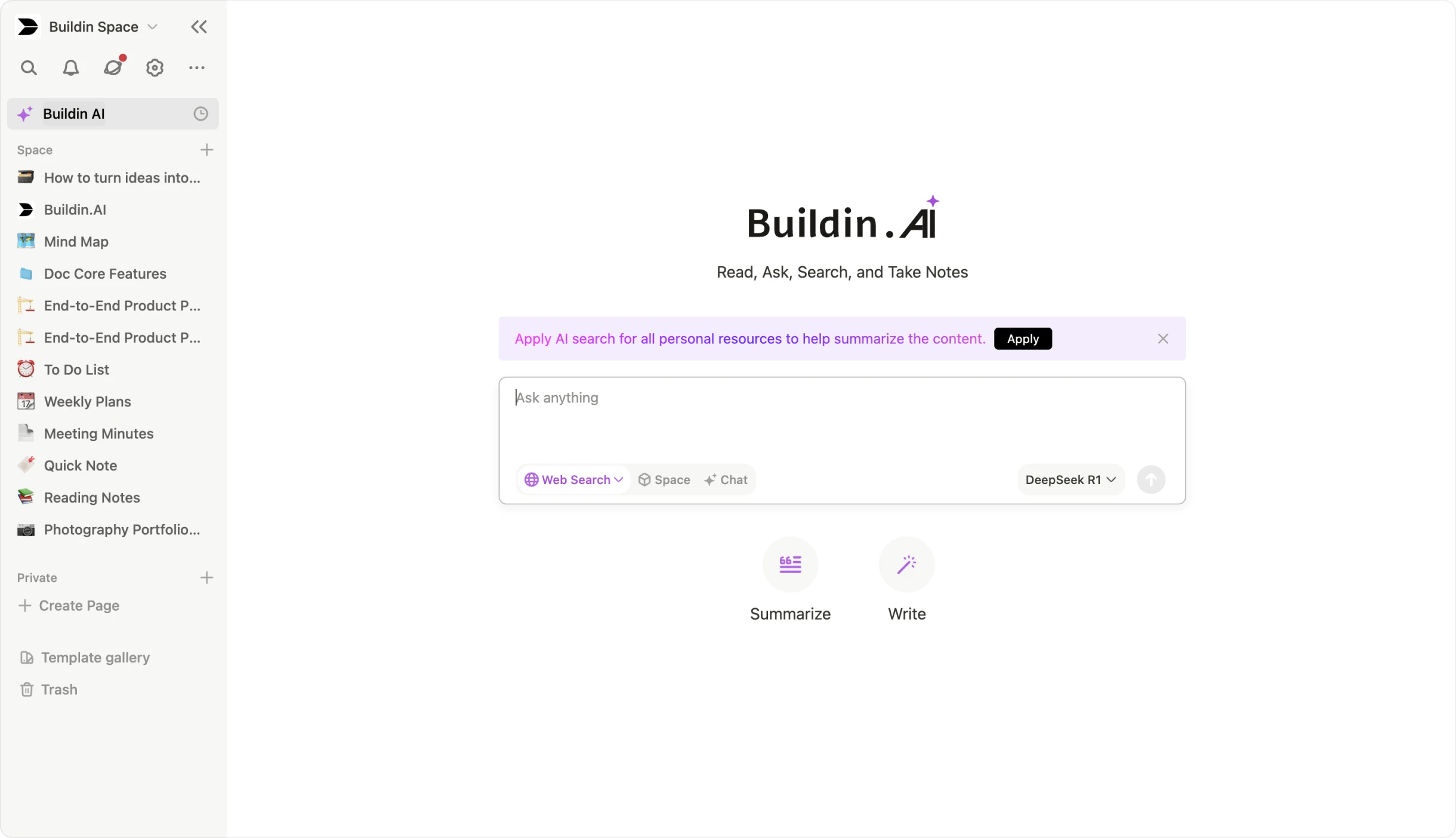
- Semantic search. Ask "what was our Q3 pivot strategy" and it pulls from pages, mind maps, and databases, then answers with citations rather than a list of links.
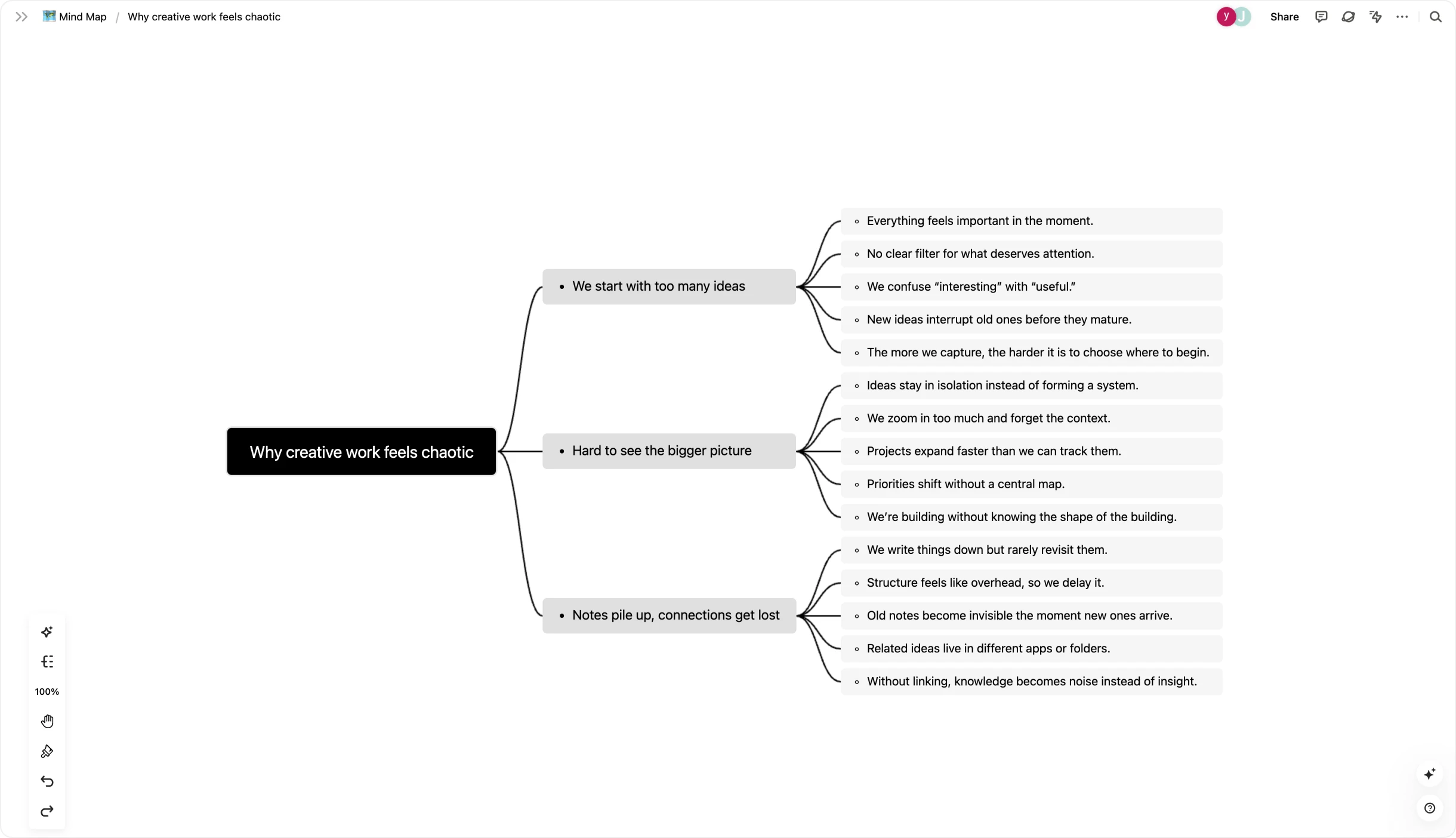
- Mind maps tied to documents. Any page converts to a mind map and back. The AI suggests nodes based on notes you have already written, which is useful for structuring a topic before you write it up.
- On-premise deployment. For regulated industries, Buildin runs on your own servers, so documents and AI queries never leave your infrastructure.
Content monetization
Buildin has a built-in paid subscription system. Creators can turn templates, tutorials, and research libraries into recurring revenue without routing through Gumroad or a separate membership platform. For teams whose documentation is the product, this changes the maths — the tool moves from a cost line to a revenue line.
Pricing: free plan available. Team plans from $8 per user per month. Enterprise on request.
Best for: teams that want one system for internal knowledge and published content, and teams that need self-hosting.
Official website: https://buildin.ai/
2. Notion — Best for Flexible Team Wikis
Notion is the most widely adopted tool on this list, and its block-based editor still handles the widest range of use cases, from a meeting note to a linked database wiki.
The 2026 addition is Notion Agents — bots you train on a specific teamspace. An HR agent can watch a benefits database and answer employee questions in Slack without a human in the loop.
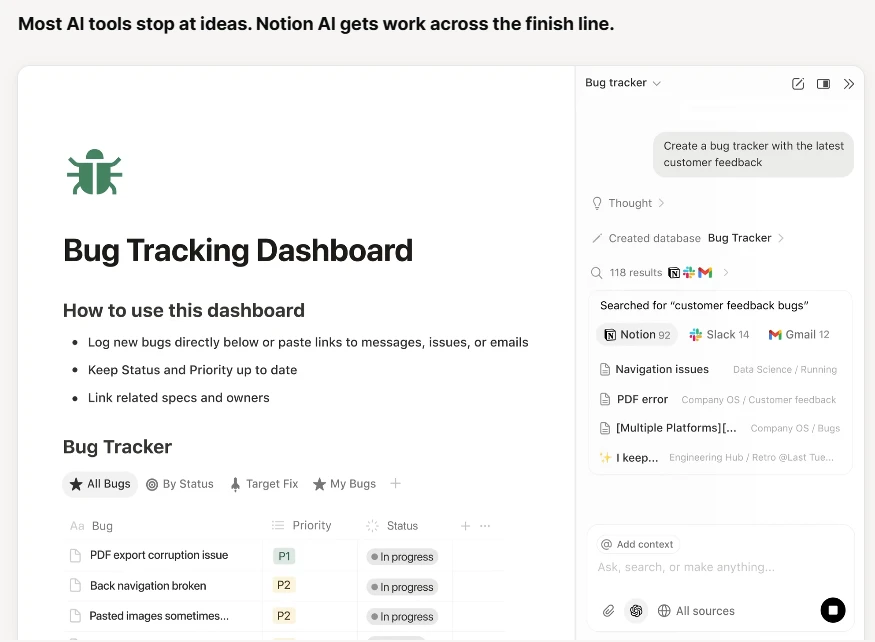
- Notion Sites publishes an internal wiki as a public website.
- Enterprise Search indexes connected Google Drive, Slack, and Jira.
The trade-offs are well known: large workspaces get slow, and AI is a separate paid tier rather than part of the base plan.
Pricing: free for individuals. Team plan $10 per user per month. AI add-on a further $10 per user per month.
Best for: startups and agencies that want maximum flexibility and will invest the time to build their own structure.
3. Atlassian Confluence — Best for Large Engineering Organizations
For companies past a few hundred people, Confluence is the default, mostly because of how tightly it connects to Jira. Rovo, Atlassian's AI layer, treats the whole organization as one graph.
Rovo addresses the problem specific to large companies: in a 10,000-person org, information is not missing, it is buried in Jira tickets and abandoned Confluence spaces.
- Teamwork Graph maps how projects, goals, and people connect, and can define internal jargon based on how your company actually uses it.
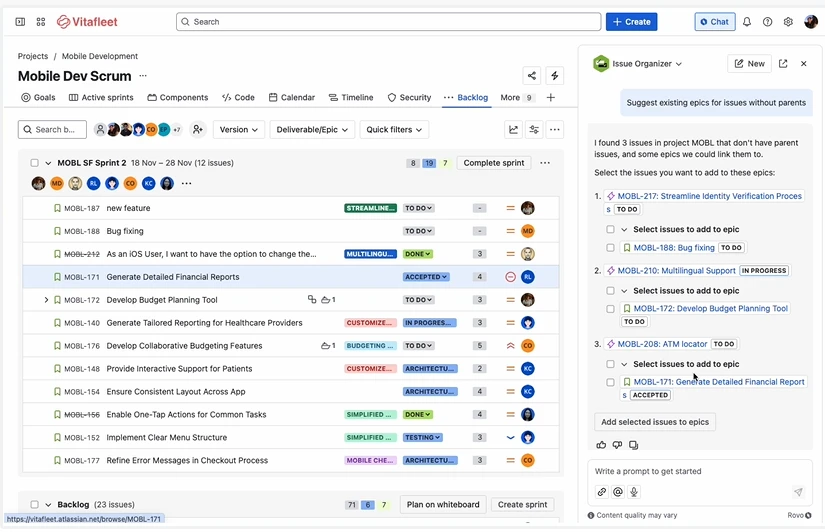
- Rovo Studio lets teams build agents for deep research or sprint summaries inside documents.
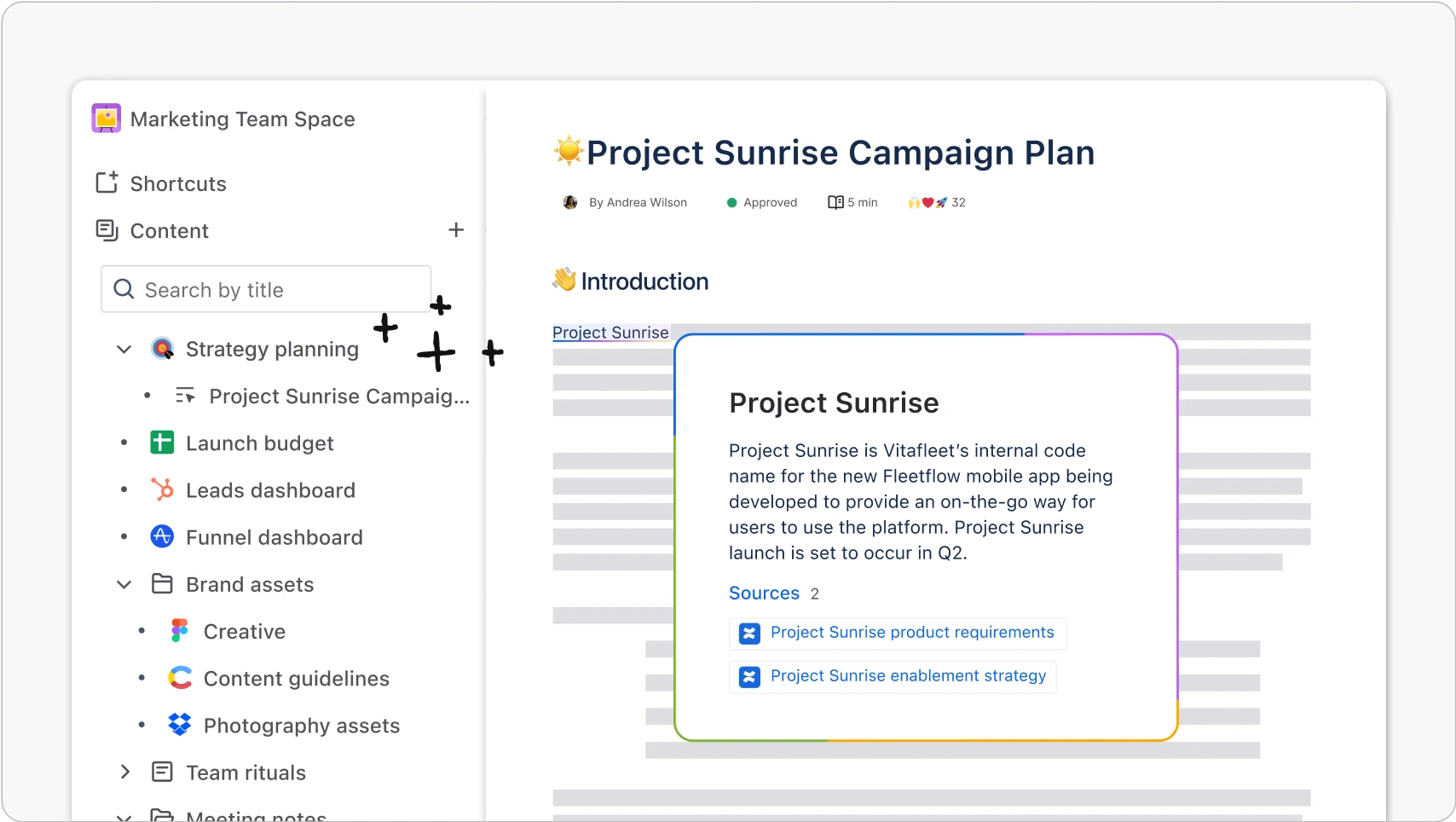
Confluence is more rigid than Notion or Buildin. At scale that rigidity is the point, but small teams usually find it heavy. The interface also shows its age next to newer tools.
Pricing: free up to 10 users. Standard $4.89 per user per month. Premium from $8.97.
Best for: engineering and product teams already inside the Atlassian ecosystem.
4. Guru — Best for Support and Sales Teams
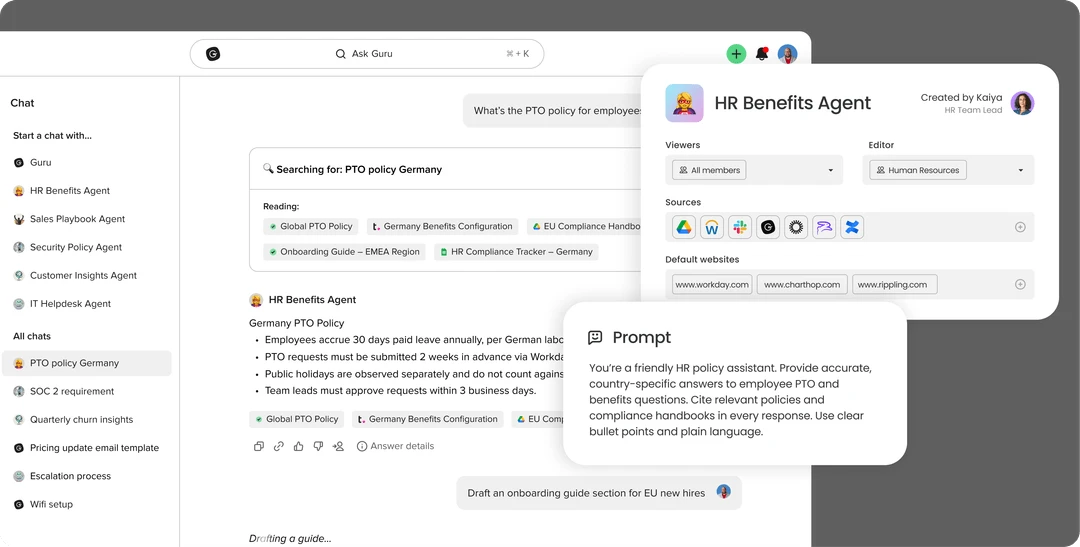
Guru optimizes for delivery rather than storage. Its premise is that support agents will not leave their ticket queue to search a wiki, so the knowledge has to come to them.
Verification
Guru's verification workflow requires a named expert to confirm each card on a schedule. In a period where AI-generated answers are cheap and wrong answers are expensive, this is the most conservative approach on the list — and for support teams, the right one.
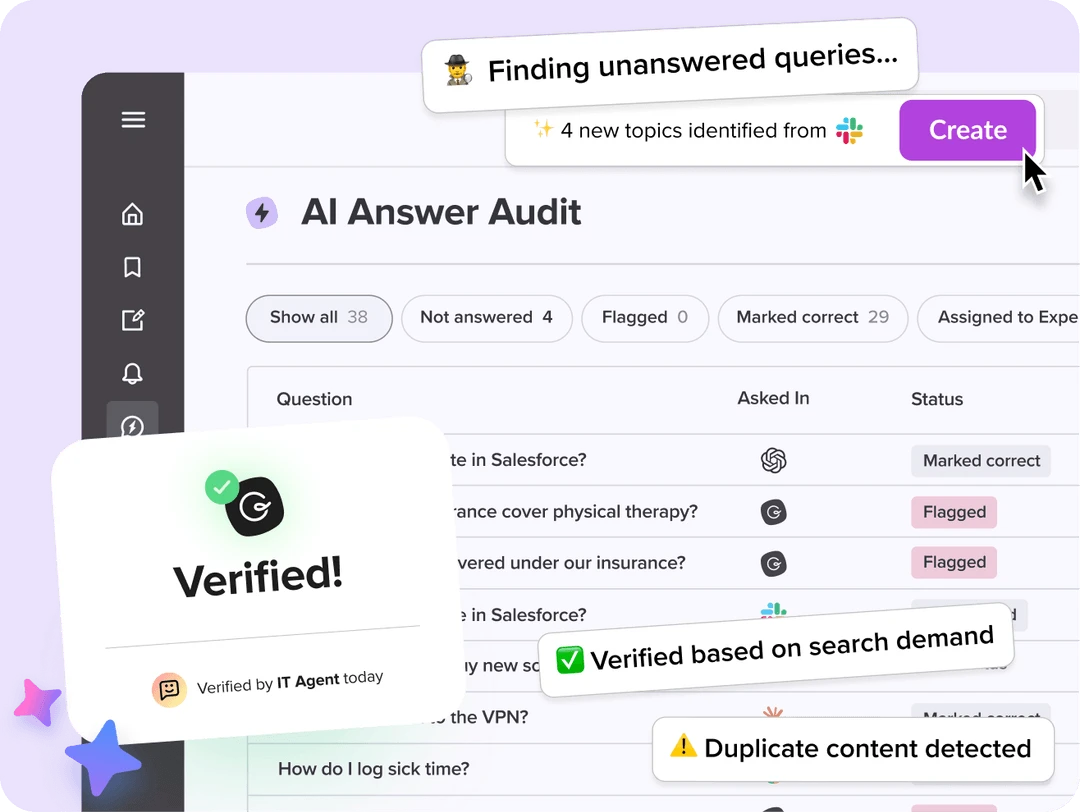
- Browser extension. Guru surfaces the relevant card inside Intercom or Zendesk, so agents never search.
- AI Suggest reads the live conversation and predicts what the agent will need next.
Pricing: Starter free. Builder $10 per user per month. Expert $20.
Best for: customer support, sales, and operations teams where a wrong answer costs money.
5. ClickUp — Best for Teams That Want Docs Next to Tasks
ClickUp built ClickUp Brain to connect task metadata with document text, which is a genuinely different approach from the wiki-first tools here.
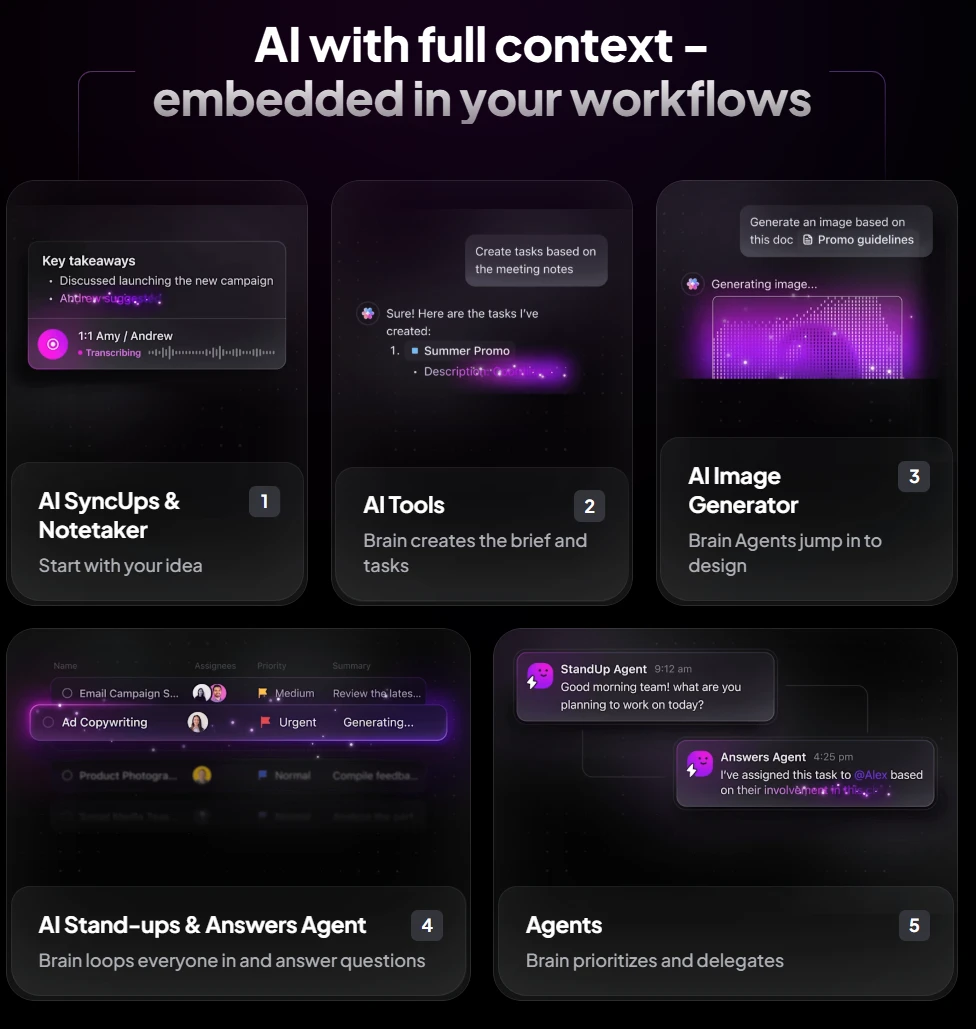
- Generates project schedules and subtasks from a written brief.
- Produces a catch-up summary of everything that changed while you were away.
- Searches documents, tasks, and comments together.
The cost is complexity. ClickUp does many things, and teams that only need a wiki will find the setup heavier than they wanted.
Pricing: free plan available. Unlimited $7 per user per month. Business $12. Brain add-on $7.
Best for: product and project teams that want planning and documentation in one tool.
6. Slite — Best Simple Wiki for Small Teams
Slite deliberately does less. No databases, no deep customization — which means non-technical team members actually use it.
Slite Ask answers questions conversationally from your documentation.
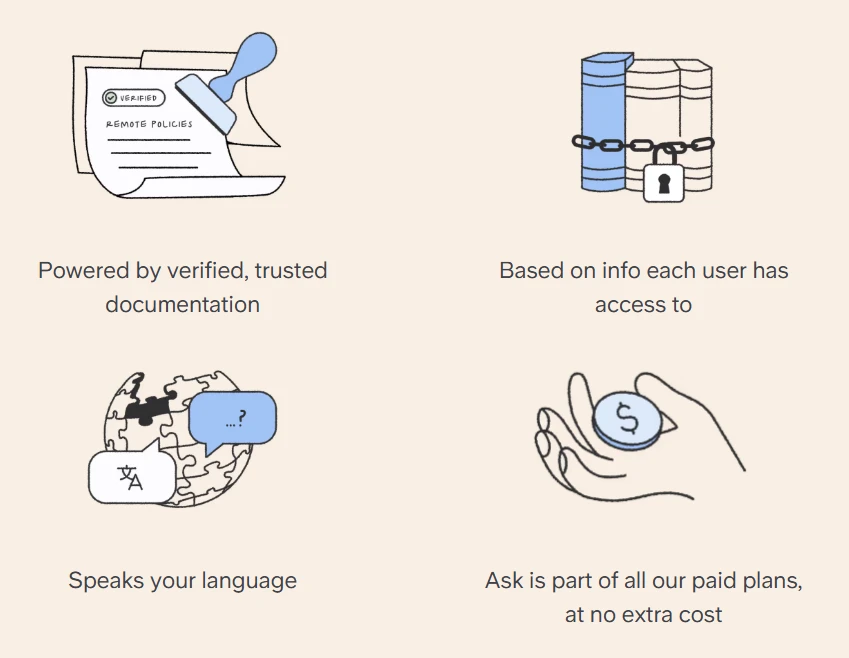
- Every answer cites the exact paragraph and author.
- The AI curator flags documents that have not been updated in months, which is the failure mode most wikis die from.
Pricing: free plan available. Standard $6.67 per user per month. Premium $12.50.
Best for: teams of 5 to 50 that want a clean knowledge base and will not maintain a complex one.
7. Document360 — Best for Customer-Facing Help Centers
When the knowledge base is for customers rather than staff, Document360 is the specialist. It is built around the technical writer's workflow.
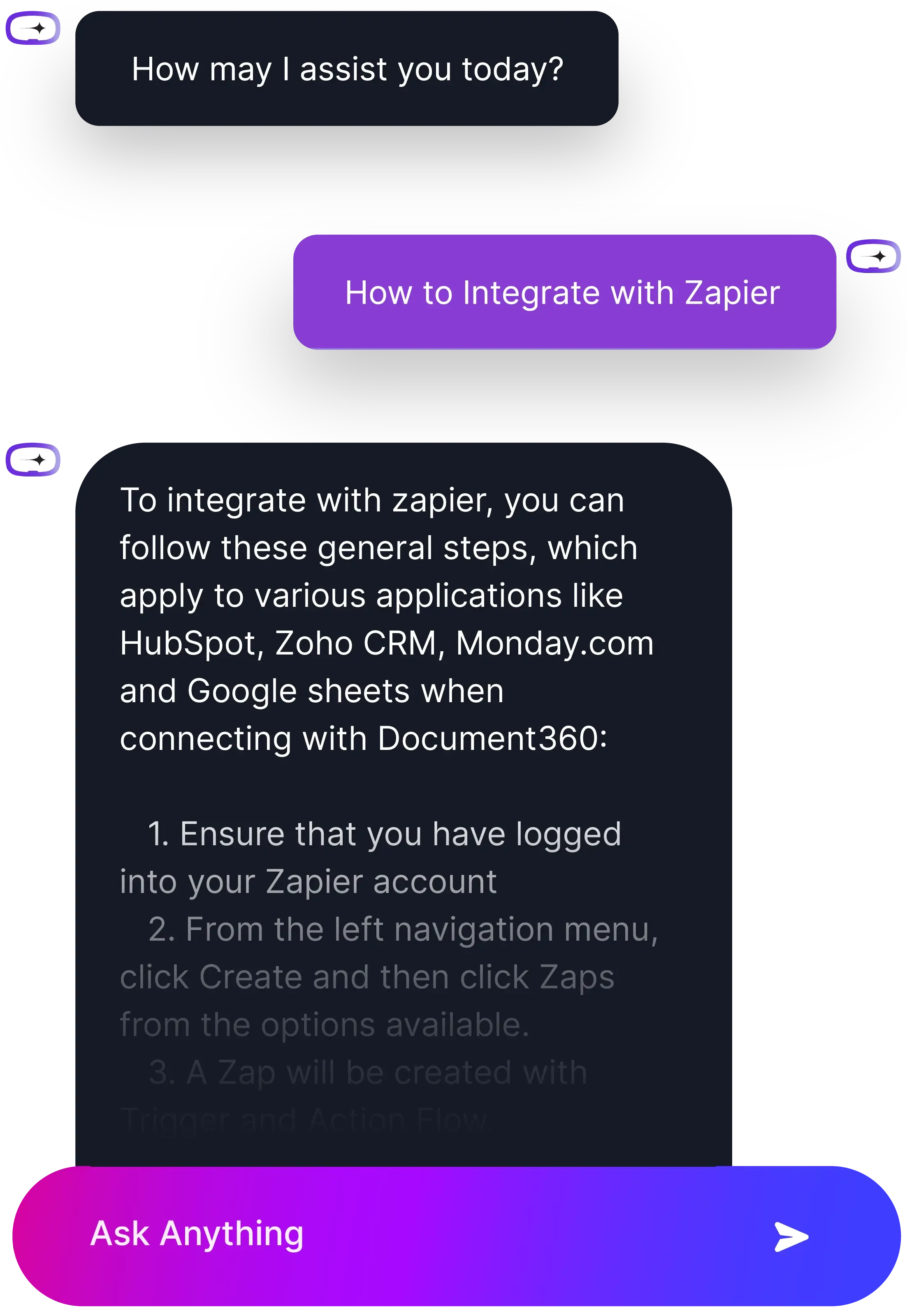
- Eddy AI generates meta titles and descriptions so help articles rank.
- Rewrites technical content between formal and conversational registers.
- Auto-tags large article libraries for faceted search.
Pricing: from $149 per project per month for the Standard tier; free tier limited to small projects.
Best for: SaaS companies publishing a public documentation site.
8. Obsidian — Best for Local-First and Private Work
Obsidian stores notes as plain Markdown files on your own machine. For researchers, journalists, and consultants handling sensitive material, that is the whole argument.
- Graph view shows notes as connected nodes, and plugins use that structure to surface links you would not have looked for.

- Local models. With Ollama you can run Llama 3 against your vault entirely offline, so no note ever reaches a third-party server.
- Over 1,000 community plugins.
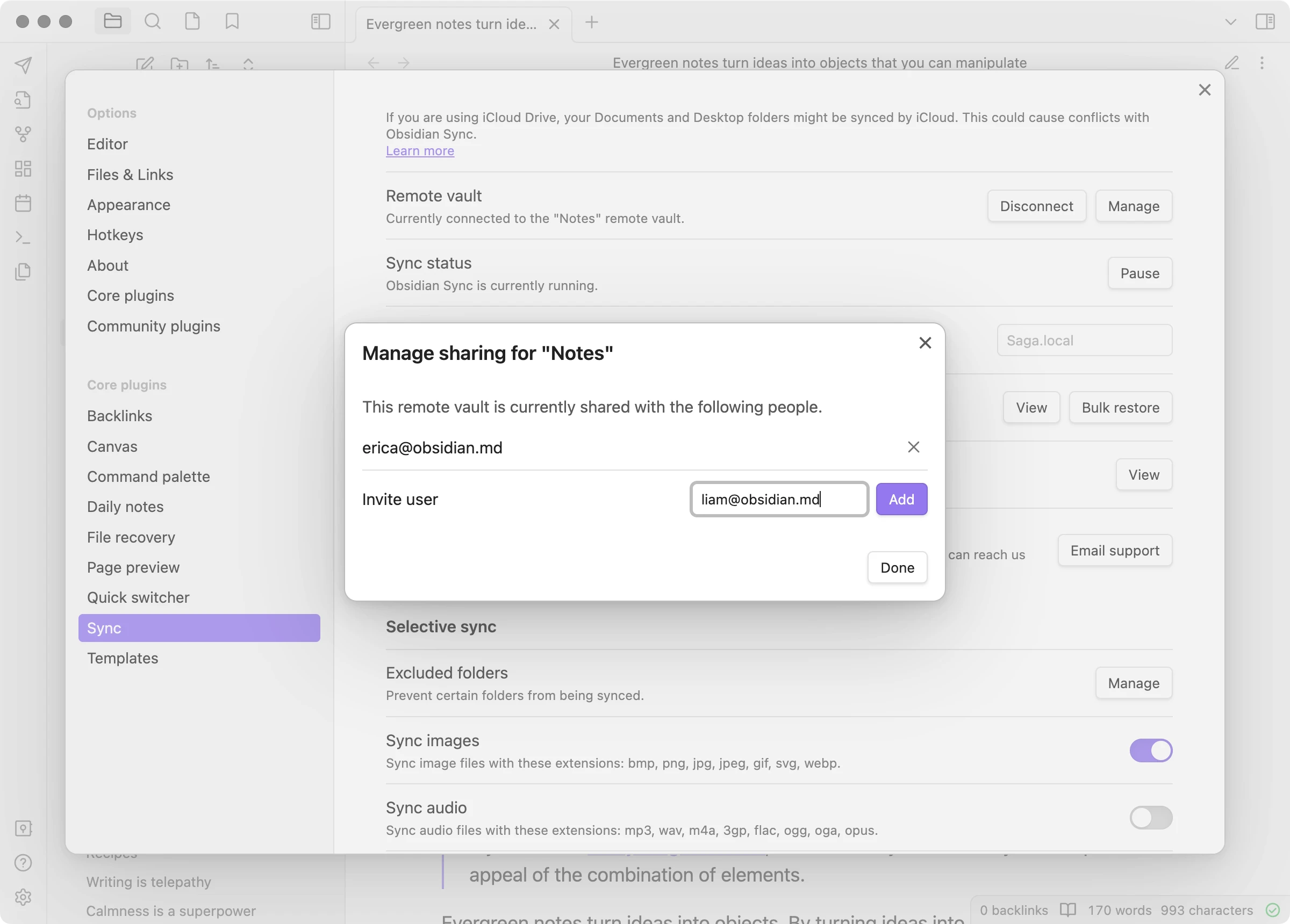
The limitation is collaboration: there is no real-time co-editing, and sync is a paid add-on. Obsidian is a personal tool that teams sometimes stretch, not a team tool.
Pricing: free for personal use. Sync $4 per month. Commercial use $50 per year per user.
Best for: individual researchers and anyone who needs data to stay on their own device.
9. Glean — Best for Companies With Too Many Tools
Glean is not a wiki. It is a search layer over everything else — Slack, Drive, Salesforce, GitHub, and other wikis including Notion and Buildin.
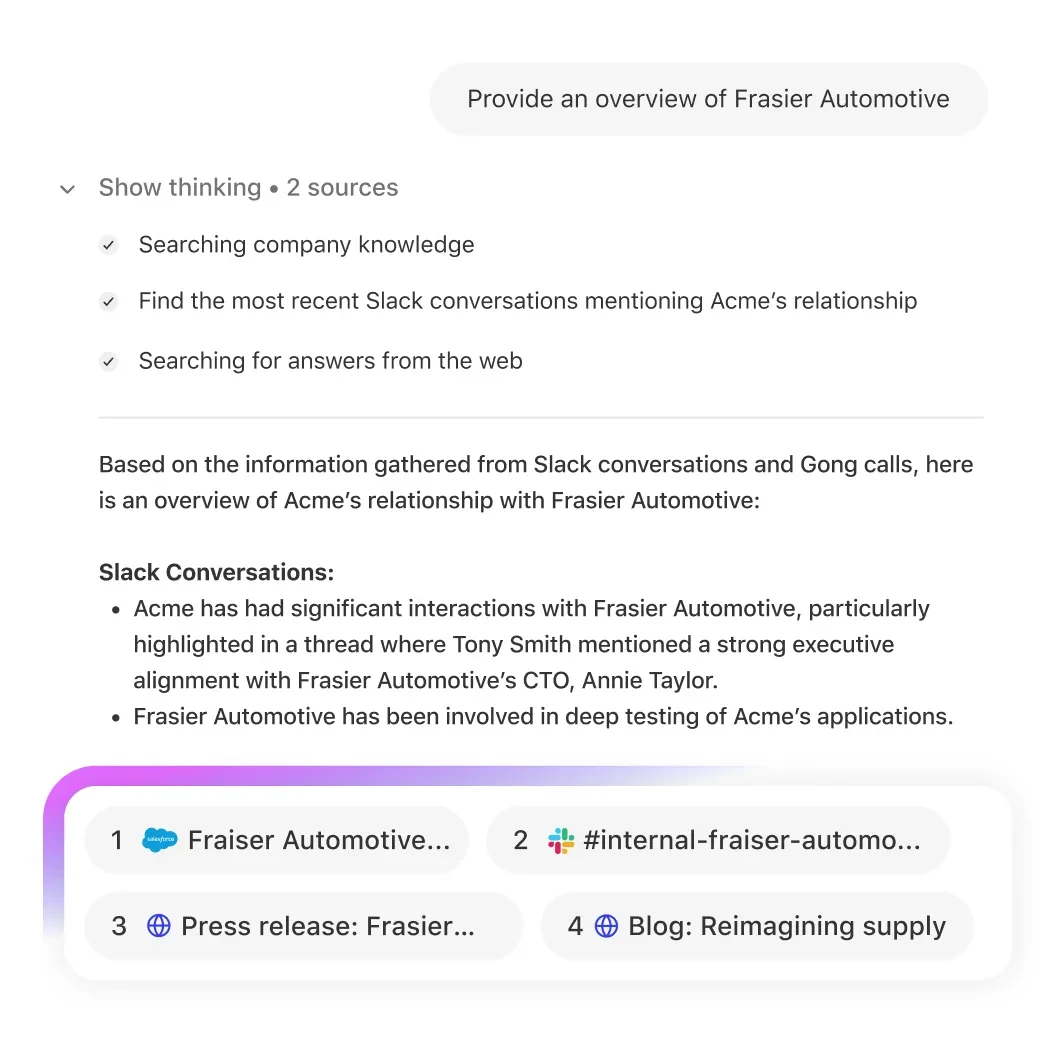
- Glean Assistant respects existing permissions: if you cannot open a document, the AI will not quote it to you.
- Surfaces documents relevant to your calendar and current projects without being asked.
Glean solves fragmentation rather than documentation. If your problem is that knowledge is scattered across 40 SaaS tools, it helps. If your problem is that nobody wrote anything down, it does not.
Pricing: enterprise contracts only, typically negotiated per seat.
Best for: organizations above roughly 500 people with a sprawling tool stack.
10. Zendesk Guide — Best for High-Volume Support Deflection
Zendesk Guide exists to resolve customer questions without a human. Fin reads your help center and answers customers on your website, WhatsApp, or app.
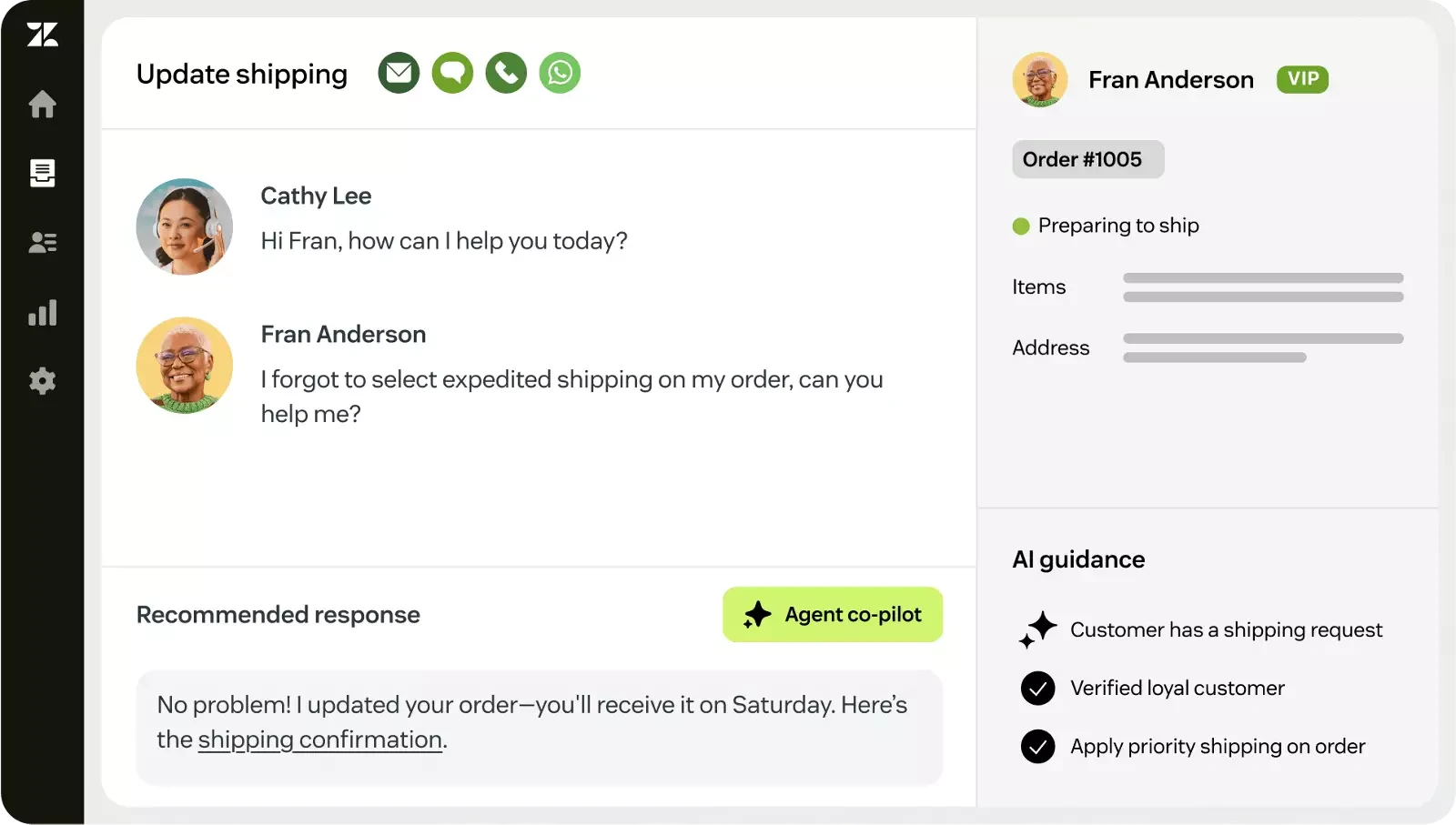
- Reports how many tickets the AI resolved and what that saved.
- Delivers the same knowledge across every support channel.
Pricing: Suite Team from $55 per agent per month; Fin billed per resolution.
Best for: B2C and e-commerce companies with high ticket volume.
11. Tettra — Best for Teams That Live in Slack
Tettra answers questions inside Slack by pulling from your knowledge base, so nobody switches apps. It also notices when a question has already been answered in the documentation and flags pages that look stale.
It is a narrow tool. If your team does not run on Slack, there is no reason to pick it. If it does, Tettra removes the main reason wikis go unread — that reading them requires leaving the conversation.
Pricing: Basic $4 per user per month. Scaling $8. Professional $12.
Best for: Slack-first teams under 100 people.
Comparison Table
| Tool | Core strength | Key AI feature | Deployment | Entry price | Best for |
|---|---|---|---|---|---|
| Buildin | Monetization, privacy | Semantic synthesis | On-prem / cloud | Free, then $8 | Creators, secure teams |
| Notion | Flexibility | Notion Agents | Cloud | Free, then $10 | Startups, agencies |
| Confluence | Enterprise scale | Rovo graph search | Cloud / DC | Free, then $4.89 | Large engineering orgs |
| Guru | Verified delivery | AI Suggest | Cloud | Free, then $10 | Support and sales |
| ClickUp | Docs beside tasks | ClickUp Brain | Cloud | Free, then $7 | Product teams |
| Slite | Simplicity | Slite Ask (cited) | Cloud | Free, then $6.67 | Small teams |
| Document360 | Customer docs | Eddy AI | Cloud | From $149/project | SaaS help centers |
| Obsidian | Local-first privacy | Local LLM plugins | Local | Free personal | Researchers |
| Glean | Unified search | 100+ connectors | Cloud / hybrid | Enterprise only | Large tool stacks |
| Zendesk | Support deflection | Fin agent | Cloud | From $55/agent | E-commerce |
| Tettra | Slack-native answers | Question routing | Cloud | $4 | Slack-first teams |
How to Choose
Team size and existing tools decide this more than feature comparisons do.
- Solo or under 10 people: Buildin or Obsidian. Both start free. Pick Buildin if you want collaboration and publishing, Obsidian if the data must stay local.
- Engineering teams already on Jira: Confluence. The integration is worth more than any individual feature elsewhere on this list.
- Support or sales teams: Guru or Tettra. Both put answers where the work happens rather than in a separate wiki.
- Teams that want one tool for docs and delivery: Buildin or ClickUp. Buildin is stronger on AI search and publishing, ClickUp on task management depth.
- Regulated industries: Buildin self-hosted, or Confluence Data Center. These are the two realistic options if data cannot sit in a vendor's cloud.
- Companies drowning in SaaS tools: Glean, on top of whatever wiki you already have.
One practical note: whichever you pick, the deciding factor after six months is rarely the AI. It is whether someone owns keeping the content current. Tools that flag stale pages — Slite, Guru, Tettra — are doing more for long-term usefulness than the ones with the best search demo.
Frequently Asked Questions
What is a knowledge management system?
A central place where a team documents processes, stores what it knows, and makes that information searchable. It differs from a file drive in that it keeps context — who wrote something, what it relates to, and whether it is still accurate.
What is the best AI knowledge base tool in 2026?
It depends on team size and existing tools. Buildin fits teams that want documents, databases, and AI search in one place, with the option to sell knowledge. Confluence suits engineering teams already on Atlassian. Guru is built for support and sales teams that need verified answers.
How much does a knowledge management system cost?
Most tools have a free tier for small teams. Paid team plans run roughly $4 to $20 per user per month — Tettra and Confluence at the low end, Guru and Slite Premium at the high end. Obsidian is free for personal use but charges $50 per year for commercial use.
What is the difference between a knowledge base and a knowledge management system?
A knowledge base is the repository — the FAQs, how-tos, and policies themselves. A knowledge management system also covers the processes and workflows for capturing and maintaining that content. Most modern AI tools do both, so the distinction matters less than it used to.
Can a knowledge base tool replace our project management tool?
Sometimes. ClickUp and Buildin both combine documents with task tracking, which works for small and mid-size teams. Larger organizations usually keep them separate — Confluence for documentation, Jira for delivery — because the permission models and reporting needs diverge at scale.
Why We Rank Buildin First
Two reasons, both practical rather than promotional.
The first is migration. For most teams the real cost of switching is not the subscription, it is the weeks spent repairing broken database relations after an export. Buildin's direct Notion API import removes that cost, which changes whether switching is worth considering at all.
The second is that Buildin is the only tool here where the knowledge base can pay for itself. Every other product on this list is a cost. With native paid subscriptions, documentation becomes something you can sell — to customers, to a community, or to other teams.
If neither of those matters to you, the honest answer is that Notion, Confluence, or Slite will serve you well, and the right one depends on the list above rather than on this ranking.

Sency Shen
Skilled in content structuring, topic breakdown, and background research, with a strong interest in knowledge management and content workflows. Responsible for research, information organization, and foundational content preparation at Buildin.