16 Best Second Brain Apps in 2026 (Tested & Ranked)
In 2026, a Knowledge Management Tool is a cognitive necessity for navigating information overload. A "Second Brain," as popularized by Tiago Forte, serves as your digital mind to capture and synthesize insights. Today’s best Second Brain Apps, led by Buildin, have evolved beyond simple note-taking into AI-powered knowledge bases that support the Zettelkasten method and content monetization.
In 2026, the volume of digital information has reached an unprecedented peak. The best knowledge management systems and second brain apps don't just store information — they help you filter, organize, and produce output from it. As coined by productivity expert Tiago Forte, a "Second Brain" is an external, digital repository for your ideas, notes, and creative work. The best second brain apps in 2026 have evolved far beyond simple note-taking into AI-powered knowledge management systems that support structured thinking, team collaboration, and content monetization.
Choosing the right knowledge management system is no longer just about taking notes — it's about building a cognitive partner that grows with you. Whether you're a digital creator looking to monetize your insights, a researcher building a Zettelkasten system, or a team lead who needs structured collaboration, the PKM landscape in 2026 has specialized solutions for every workflow. This guide ranks the 16 best second brain apps based on hands-on testing, G2/Capterra reviews, and real-world use cases.
This guide analyzes the top 16 Second Brain Apps of 2026, focusing on how they help you capture, organize, and—most importantly—output your knowledge.
1. Buildin: The All-in-One Powerhouse for Creators and Teams
When discussing the best Second Brain Apps, Buildin represents the pinnacle of modern Personal Knowledge Management. While legacy tools often force a choice between personal use and team collaboration, Buildin bridges this gap with a sophisticated yet intuitive infrastructure. It is designed specifically for those who need their knowledge to "work" for them, whether through team productivity or direct monetization.
Key Features and Strategic Advantages
Buildin’s primary strength lies in its versatility. It offers flexible pages and databases that mirror the structure of high-end Notion alternatives, but with a significantly faster engine and a lower learning curve.
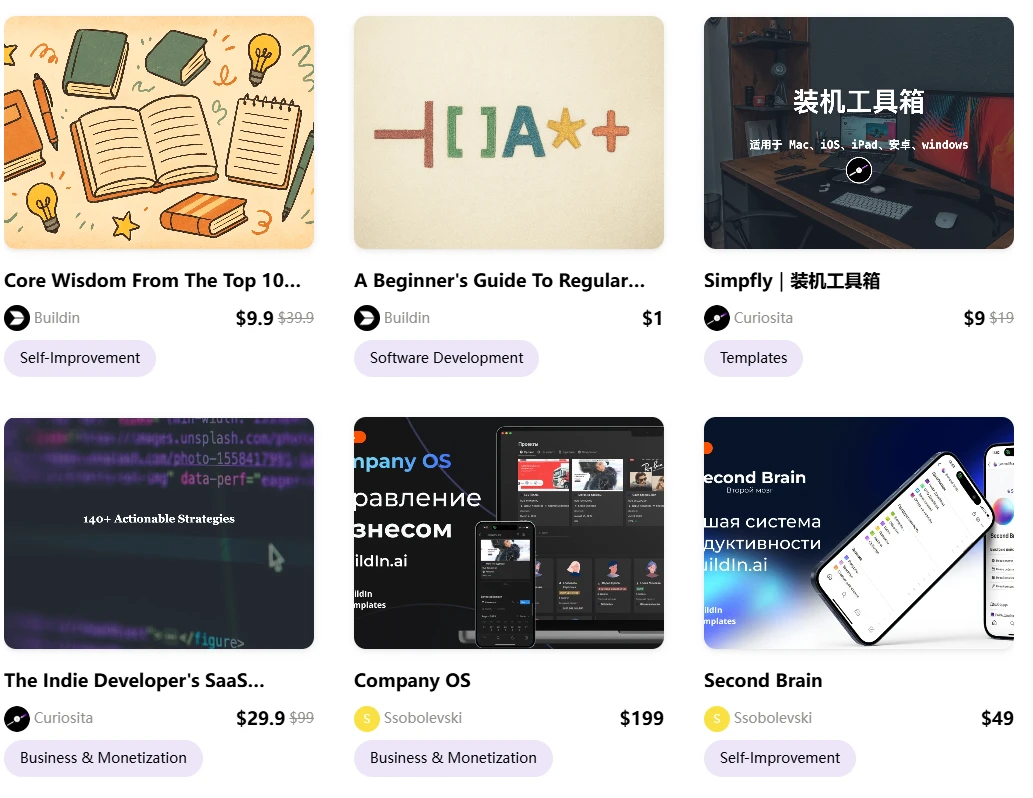
- Content Monetization & Paid Subscriptions: This is Buildin’s most disruptive feature. In 2026, many PKM users are "knowledge entrepreneurs." Buildin allows you to turn your notes, templates, or tutorials into paid content directly. You can set custom prices and offer recurring subscriptions, eliminating the need for third-party platforms. Your Second Brain becomes a direct revenue stream.
AI-Powered Knowledge Base: Buildin integrates AI at the core. It doesn’t just "search" your notes; it understands them. You can use AI to summarize complex databases, generate new content based on your existing research, and connect disparate ideas instantly.
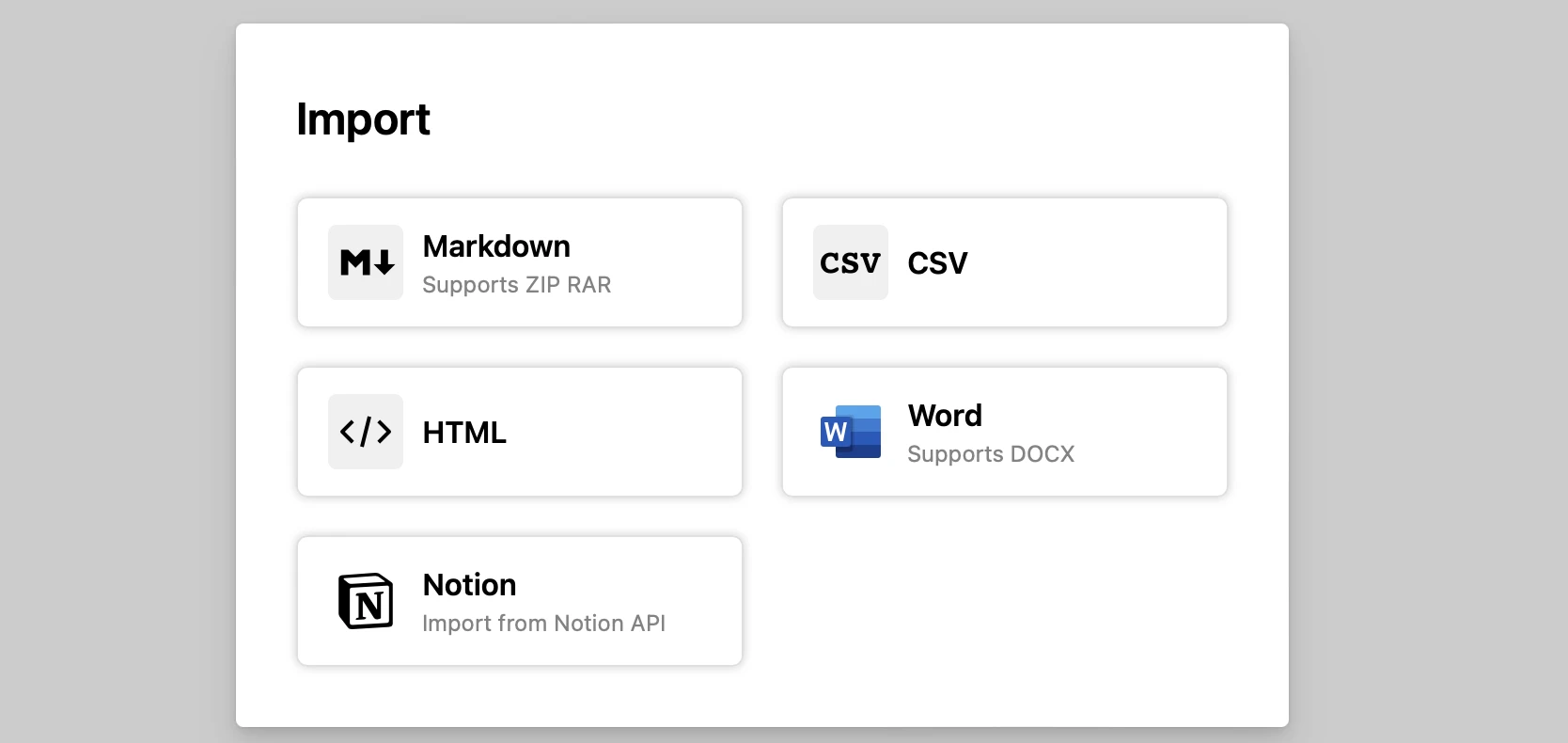
Seamless Notion Migration: For those frustrated by Notion’s performance, Buildin offers a direct Notion API import. Unlike simple Markdown exports, this preserves your original structure and formatting, making it a painless transition.
- Enterprise-Grade Security: Buildin addresses the primary concern of 2026: data sovereignty. For organizations, it offers private on-premise deployment, ensuring that your AI-powered knowledge base remains entirely under your control.
Best for: Digital creators, educators, and teams who need a high-performance Knowledge Management Tool that integrates note-taking, project management, and monetization.
2. Recall: The AI-Powered Second Brain for Lifelong Learning
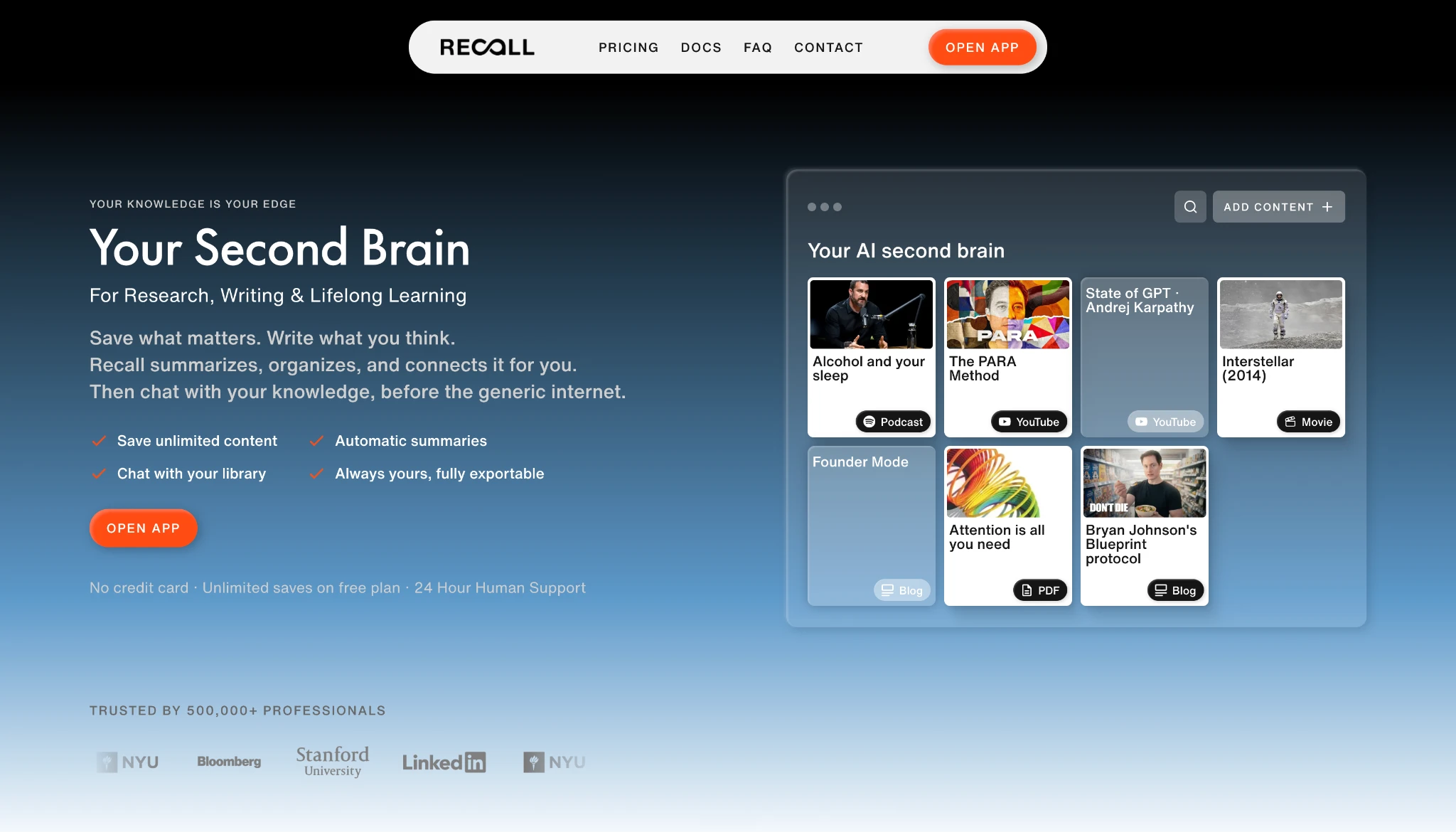
Recall is one of the best AI-powered Second Brain Apps built specifically for research, writing, and lifelong learning. Instead of asking you to design folders and maintain backlinks by hand, Recall captures what matters in one click, then summarizes, organizes, and connects it automatically. The result is a knowledge base you can chat with, so your own saved articles, videos, podcasts, PDFs, and notes become the first source of context before the generic internet.
Frictionless Capture Meets Long-Term Retention
Recall's core innovation is treating capture and memory as one continuous loop instead of two separate chores.
Frictionless Capture: Save articles, YouTube videos, podcasts, PDFs, webpages, and notes from your browser or phone in one click, so useful knowledge stops disappearing into tabs and bookmarks.
Self-Organizing Library: AI summaries distill the key ideas the moment you save, while automatic tags and categories replace the folders you would otherwise maintain by hand.
Chat With Your Knowledge: Chat across your full library, selected sources, a single card, or the web, with answers that cite your saved sources first so responses stay grounded in what you actually learned.
Connected Knowledge Graph: Recall links related ideas in a knowledge graph and resurfaces related content while you browse, so you rediscover what you saved in context.
Long-Term Memory: Built-in quizzes and spaced repetition resurface the most important ideas on schedule, turning what you save into lasting memory rather than a forgotten archive.
Best for: Researchers, lifelong learners, and content curators who want an AI-powered knowledge base that turns saved material into lasting memory instead of a forgotten archive.
3. Obsidian: The Local-First Privacy Champion
Obsidian remains the gold standard for users who prioritize privacy and long-term data durability in their Second Brain Apps. As a "local-first" application, Obsidian stores your notes as plain Markdown files on your own device. This ensures that even if the company were to disappear, your entire Personal Knowledge Management system remains accessible and future-proof.
The Power of Linkage and Extensibility
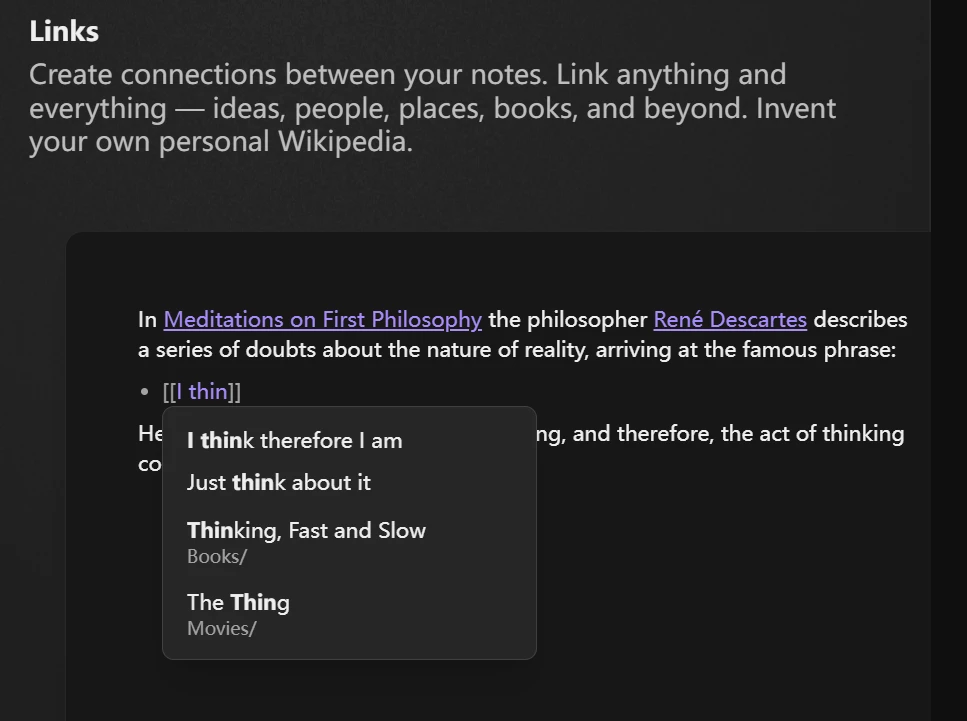
Obsidian’s philosophy is built around the Zettelkasten method, emphasizing the connections between notes rather than hierarchical folders.
- Graph View: Obsidian’s signature feature is the interactive Graph View, which visualizes how your notes are interconnected. This allows you to see the "clusters" of your thinking and identify gaps in your research.
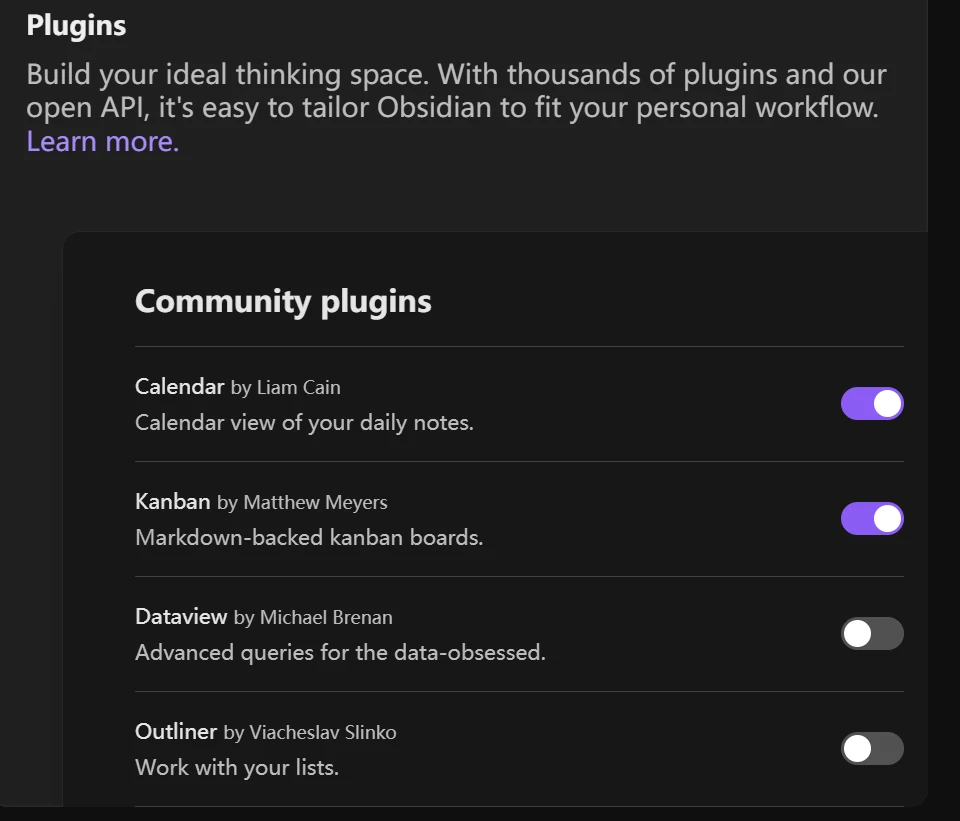
- The Plugin Ecosystem: With over 1,500 community plugins, you can transform Obsidian into anything from a task manager to a long-form writing environment. In 2026, plugins like "Obsidian Canvas" have matured, allowing for powerful visual spatial thinking.
- Data Ownership: Because it uses Markdown, your notes are not trapped in a proprietary format. This makes it a top choice for academics and researchers who are building a lifetime body of work.
Best for: Tech-savvy users and "digital gardeners" who want total control over their data and a highly customizable Knowledge Management Tool.
4. Tana: The Semantic Knowledge Operating System
Tana has redefined how we think about data structures within Second Brain Apps. It moves away from the traditional document-centric model and introduces a "node-based" system where every piece of information is an object with specific properties. This makes it one of the most powerful Personal Knowledge Management solutions for structured thinkers.
The Innovation of Supertags
Tana’s core innovation is the "Supertag." Instead of just tagging a note with a keyword, you assign it a schema.
- Object-Oriented Thinking: If you tag a note as #Meeting, Tana automatically adds fields for "Date," "Participants," and "Action Items." This allows for incredible automation; a task tagged within a meeting note can automatically appear in your global "To-Do" dashboard.
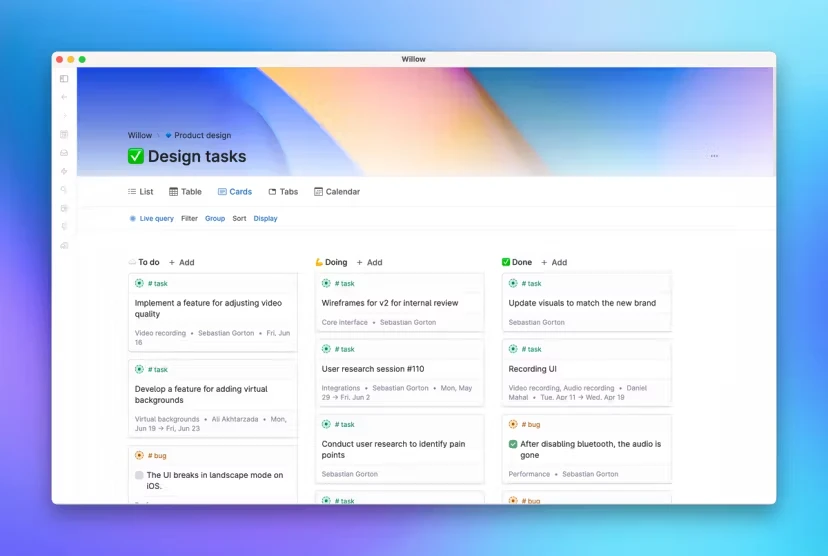
- The Tana Core AI: In 2026, Tana’s AI is specialized in "Tagging and Mapping." It can analyze a raw meeting transcript and automatically sort the data into the correct fields, drastically reducing the manual labor of digital gardening.
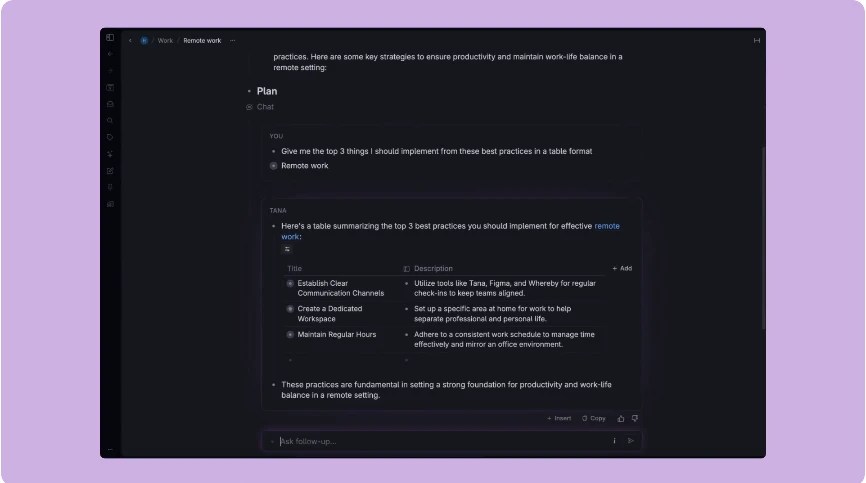
- Unified Workflow: Tana excels at breaking down silos. Your calendar, tasks, and long-term research all live in a single, interconnected graph.
Best for: Systems thinkers and professionals who want a highly automated, structured Knowledge Management Tool.
5. Heptabase: The Visual Learning Laboratory
For many, the biggest barrier in Personal Knowledge Management is the "hidden" nature of digital notes. Heptabase solves this by putting everything on a visual whiteboard. It is designed to help you not just store information, but to understand it through spatial reasoning.
Bridging the Gap Between Learning and Doing
Heptabase follows a specific "learning cycle" philosophy: Capture, Organize, and Understand.
- Infinite Whiteboards: You can drag your notes onto an infinite canvas to map out complex topics. This is particularly useful for visual learners who need to see the "Big Picture" to make sense of their Second Brain Apps.
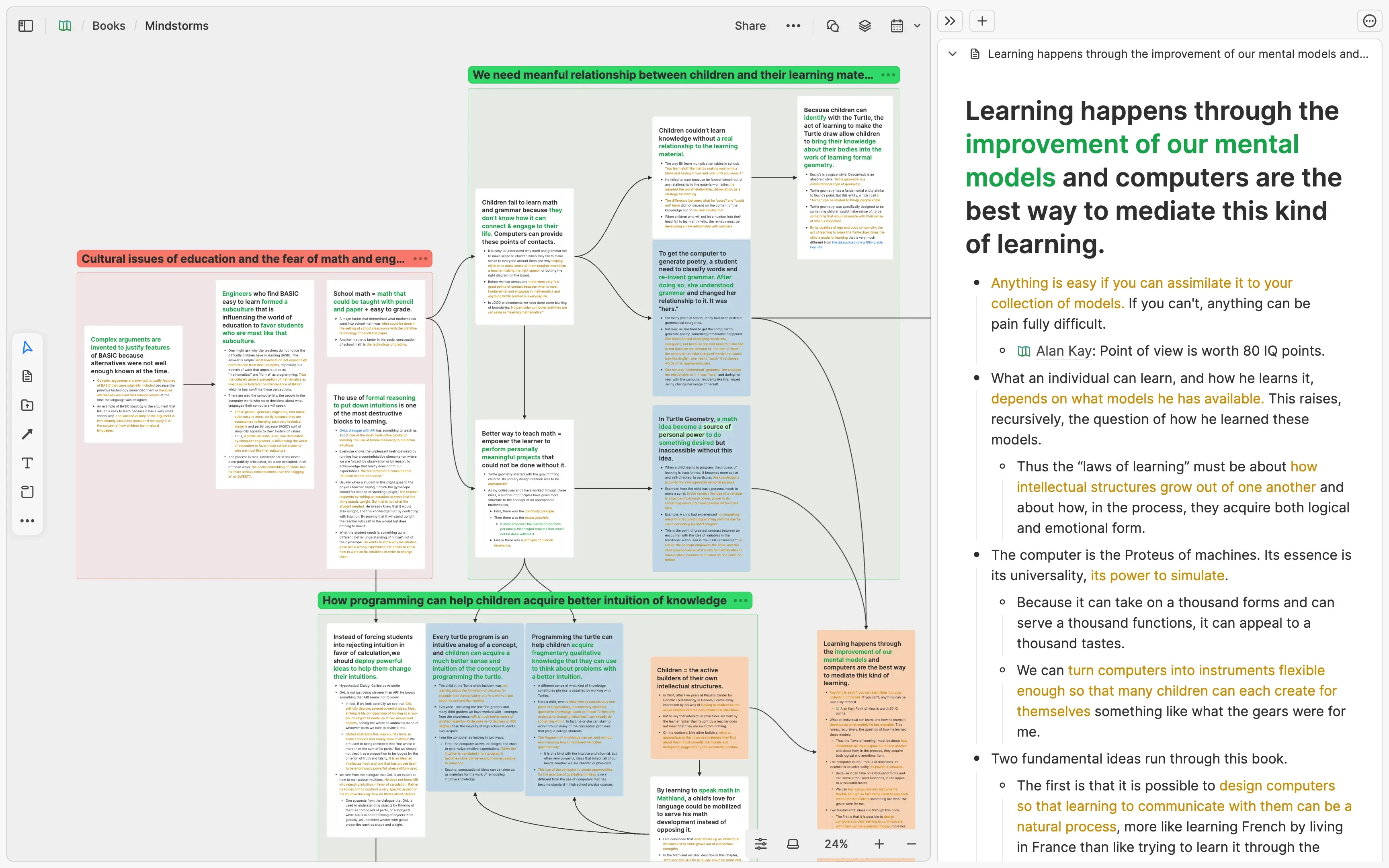
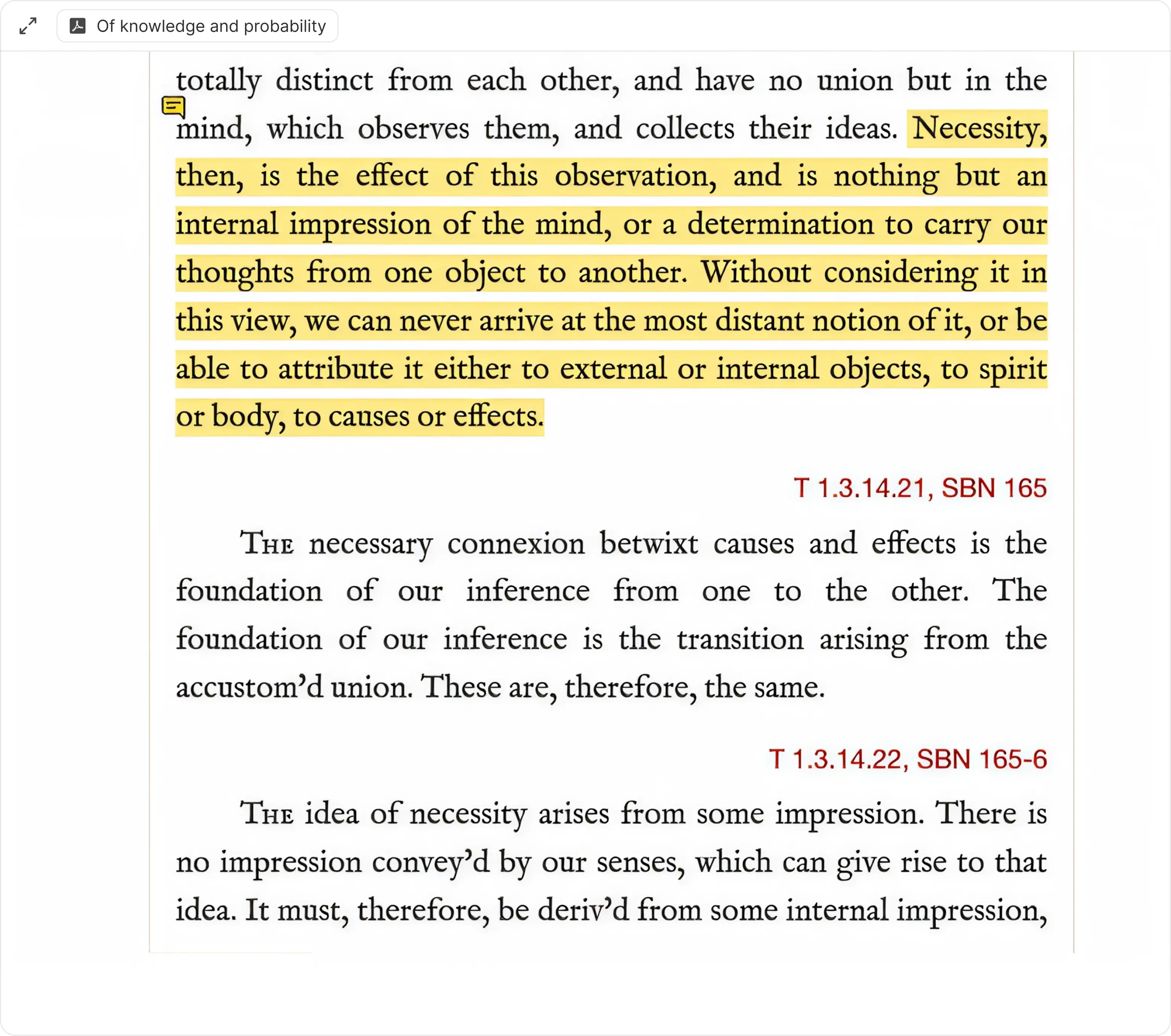
- Deep Research Capabilities: Heptabase allows you to open multiple PDF sources alongside your notes. You can highlight text in a PDF and drag it directly into a note card, maintaining a permanent link back to the source.
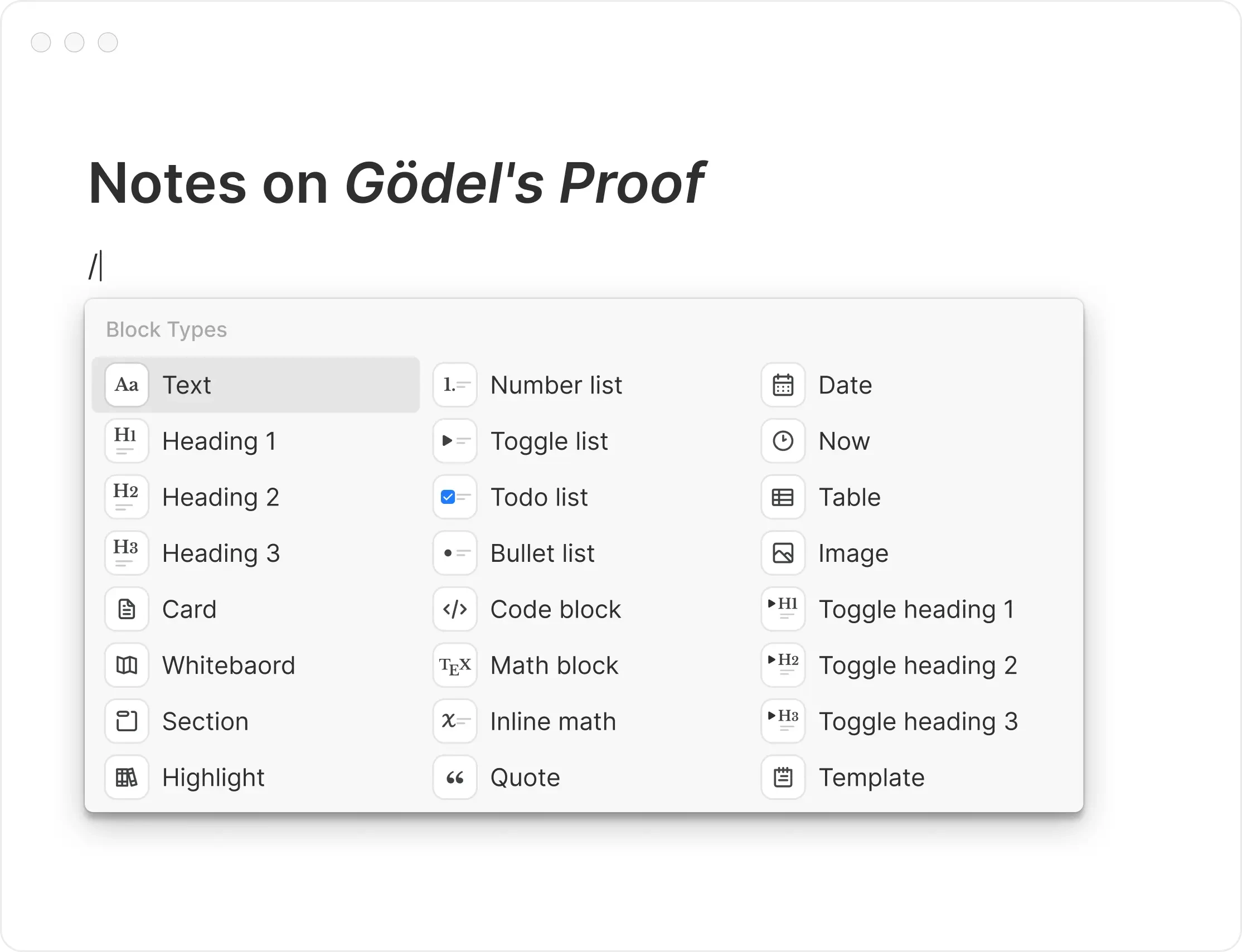
- Seamless Integration: While it feels like a whiteboard, every card is a full-featured Markdown document. This allows you to switch between visual mapping and deep writing effortlessly.
Best for: Visual learners, researchers, and students who are dealing with complex, multi-source projects.
6. Logseq: The Privacy-Centric Outliner
Logseq is an open-source, privacy-first Knowledge Management Tool that focuses on an "outliner" structure. Like Obsidian, it is local-first, but it treats information as individual "blocks" or bullet points. This makes it incredibly efficient for rapid capture and daily journaling.
Networked Outlining and Spaced Repetition
Logseq is a favorite among those who follow the Zettelkasten method but prefer the structured flow of bullet points.
Daily Journals as an Inbox: Logseq encourages you to start every day on a "Daily Journal" page. You record everything there, and through the use of [[Links]] and #Tags, the information is automatically routed to the correct project pages.
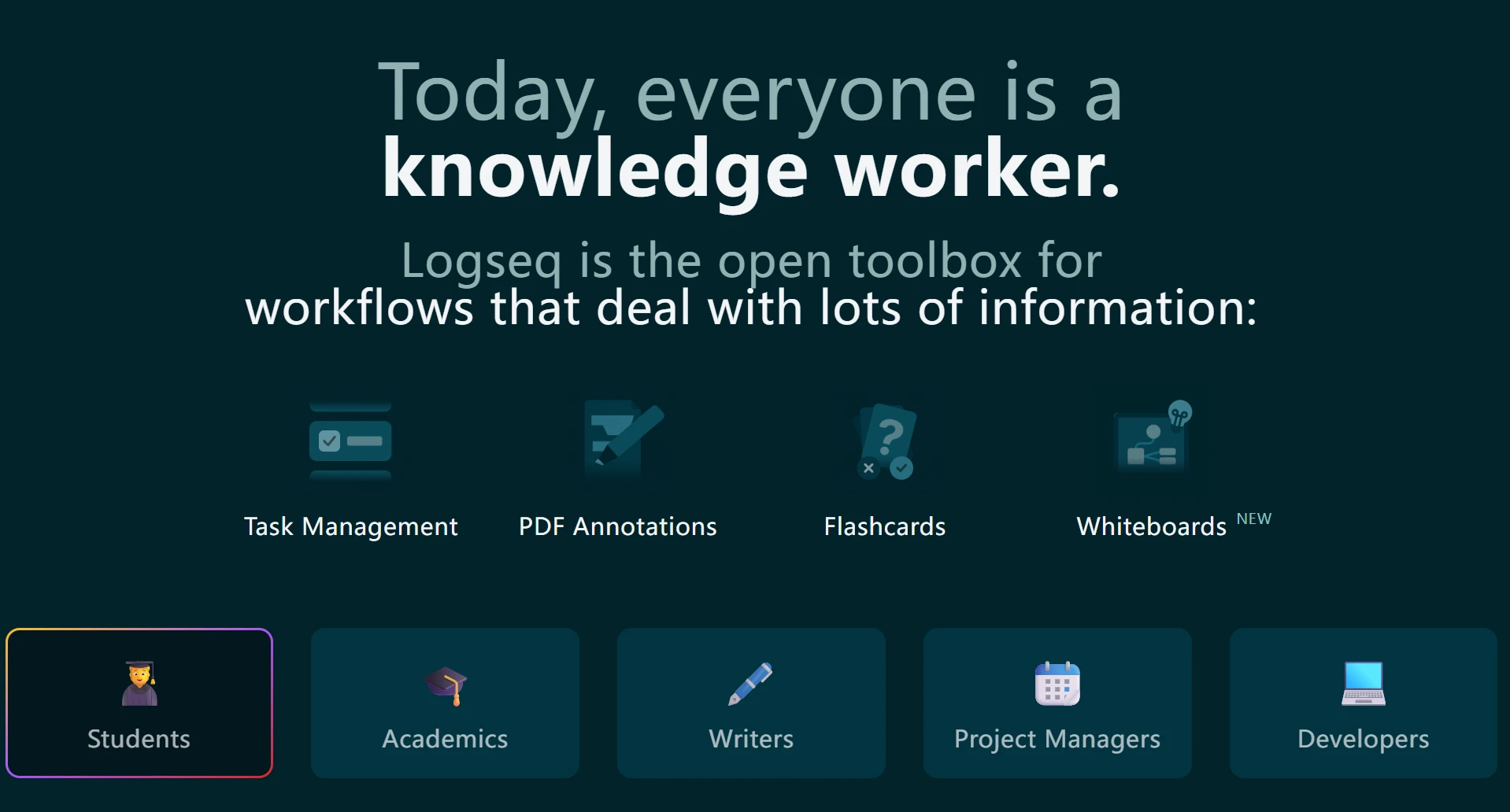
Built-in Spaced Repetition: One of Logseq’s unique features is its native flashcard system. This allows students and lifelong learners to move information from their "Second Brain" into their "First Brain."
PDF Annotation: Logseq offers some of the best PDF annotation tools in the PKM space, allowing you to link specific coordinates of a document directly to your notes.
Best for: Researchers and academics who prefer an outline-based, local-first Personal Knowledge Management system.
7. Anytype: The Decentralized Notion Alternative
Anytype is one of the most ambitious Second Brain Apps of 2026. It aims to provide the user experience of Notion with the privacy of a decentralized network. It is built on the "Anypans" protocol, which ensures that your data is encrypted and synced peer-to-peer.
No-Code Knowledge Bases
Anytype allows users to build their own tools within the app without writing code.
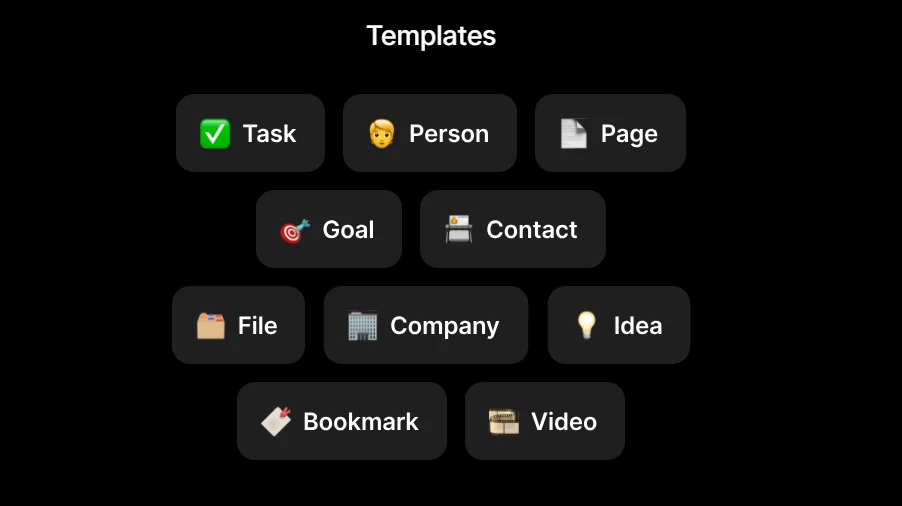
- Object-Based Structure: Similar to Tana, Anytype treats everything as an "object" (e.g., a Person, a Project, or a Task). You can create custom templates and relations to suit your specific Personal Knowledge Management needs.
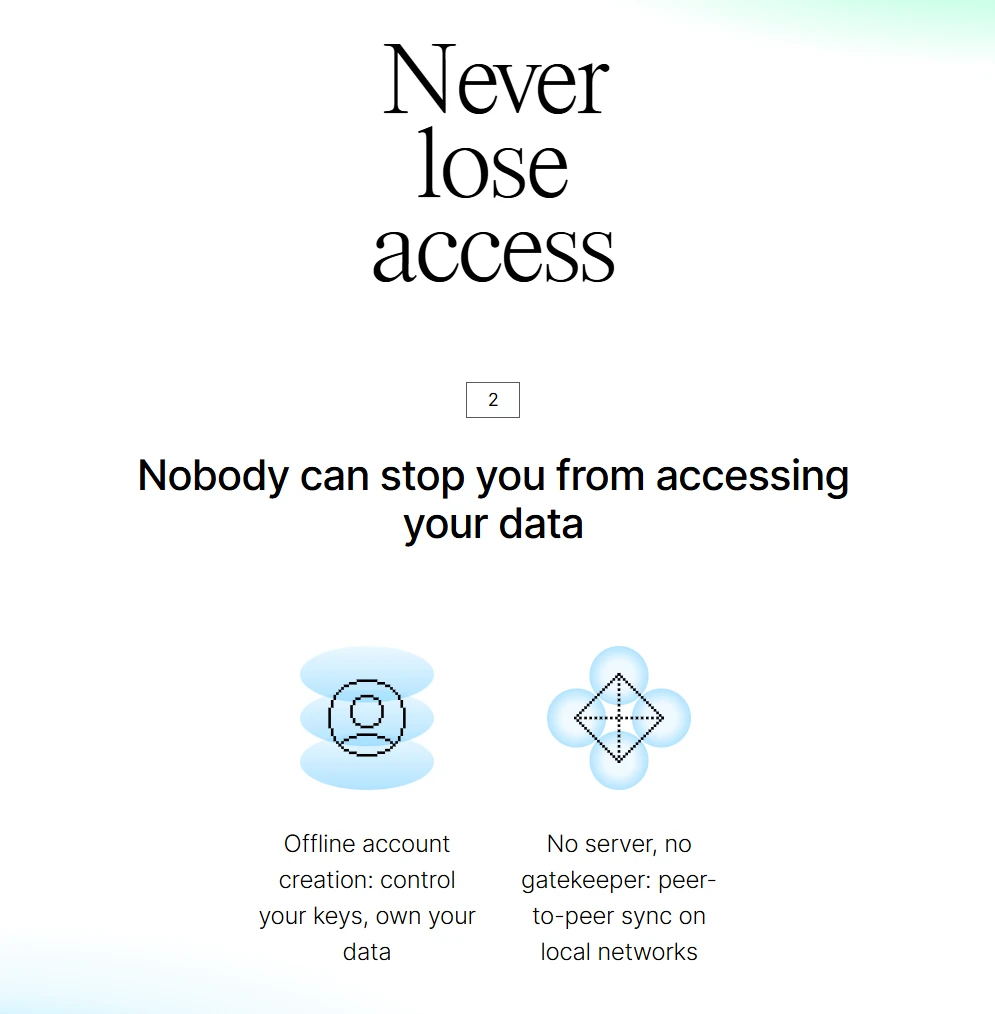
- Offline First: Unlike many Notion alternatives, Anytype works perfectly offline. Your data is synced across your devices using a local network or encrypted relay, meaning no company can ever read your content.
- Visual Dashboards: It offers beautiful, customizable widgets and dashboards that allow you to visualize your knowledge in a way that is both functional and aesthetically pleasing.
Best for: Privacy advocates who want a high-end, visual Knowledge Management Tool without relying on the cloud.
8. Mem: The AI-First Productivity Tool
Mem was a pioneer in the "AI-native" category of Second Brain Apps. In 2026, it has matured into a tool that aims to eliminate the need for manual organization entirely. Its philosophy is that you should spend your time thinking, not filing.
The End of Folders
Mem uses proprietary AI models to create a self-organizing Personal Knowledge Management system.
- Mem Chat: This feature allows you to converse with your knowledge base. You can ask, "What were the key takeaways from my meetings with the design team last month?" and Mem will synthesize an answer based on your specific notes.
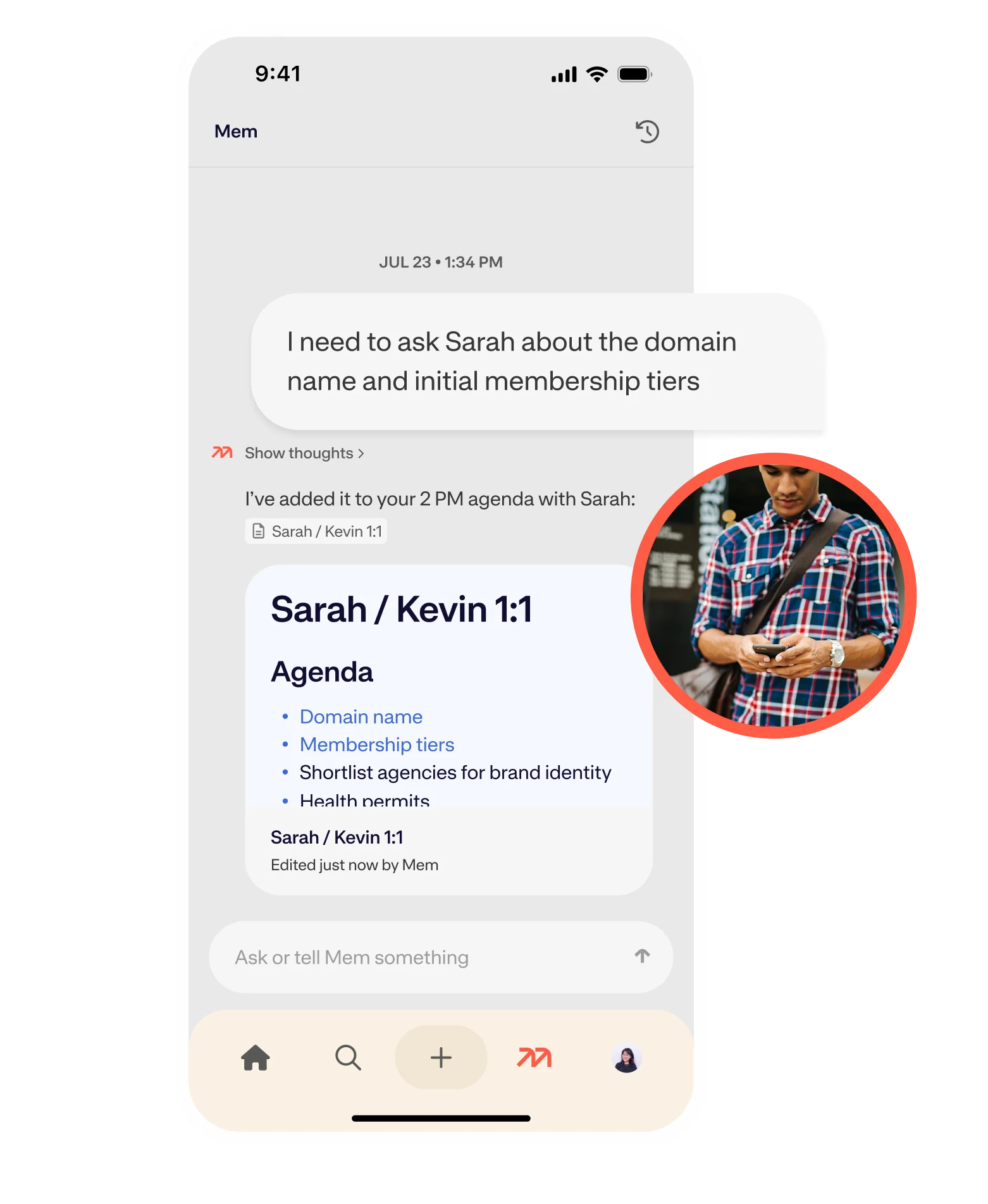
- Contextual Suggestions: As you write, Mem displays "Related Mems" in a sidebar, surfacing information you might have forgotten. This creates a serendipitous environment for digital gardening.
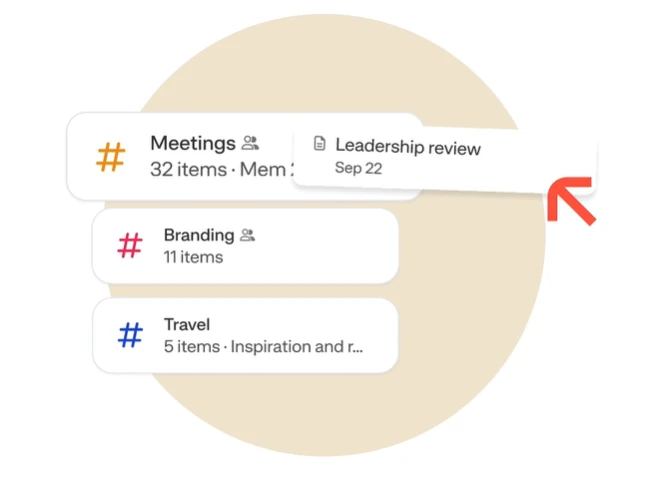
- Seamless Capture: With integrations for email, calendar, and Slack, Mem captures the "exhaust" of your professional life and turns it into structured knowledge automatically.
Best for: Busy professionals who want an AI-powered knowledge base that requires zero manual maintenance.
9. Reflect: The High-Speed Digital Journal
Reflect focuses on the core utility of a Second Brain: speed and reliability. In the crowded market of Second Brain Apps, Reflect stands out by doing less, but doing it better. It is designed for founders, executives, and high-level thinkers who need to record thoughts at the speed of light.
Security Meets Simplicity
Reflect is built on a "Calendar-first" logic, making it excellent for professional networking and meeting management.
End-to-End Encryption: Reflect ensures that your notes are encrypted before they ever leave your device. Even the developers cannot access your data.
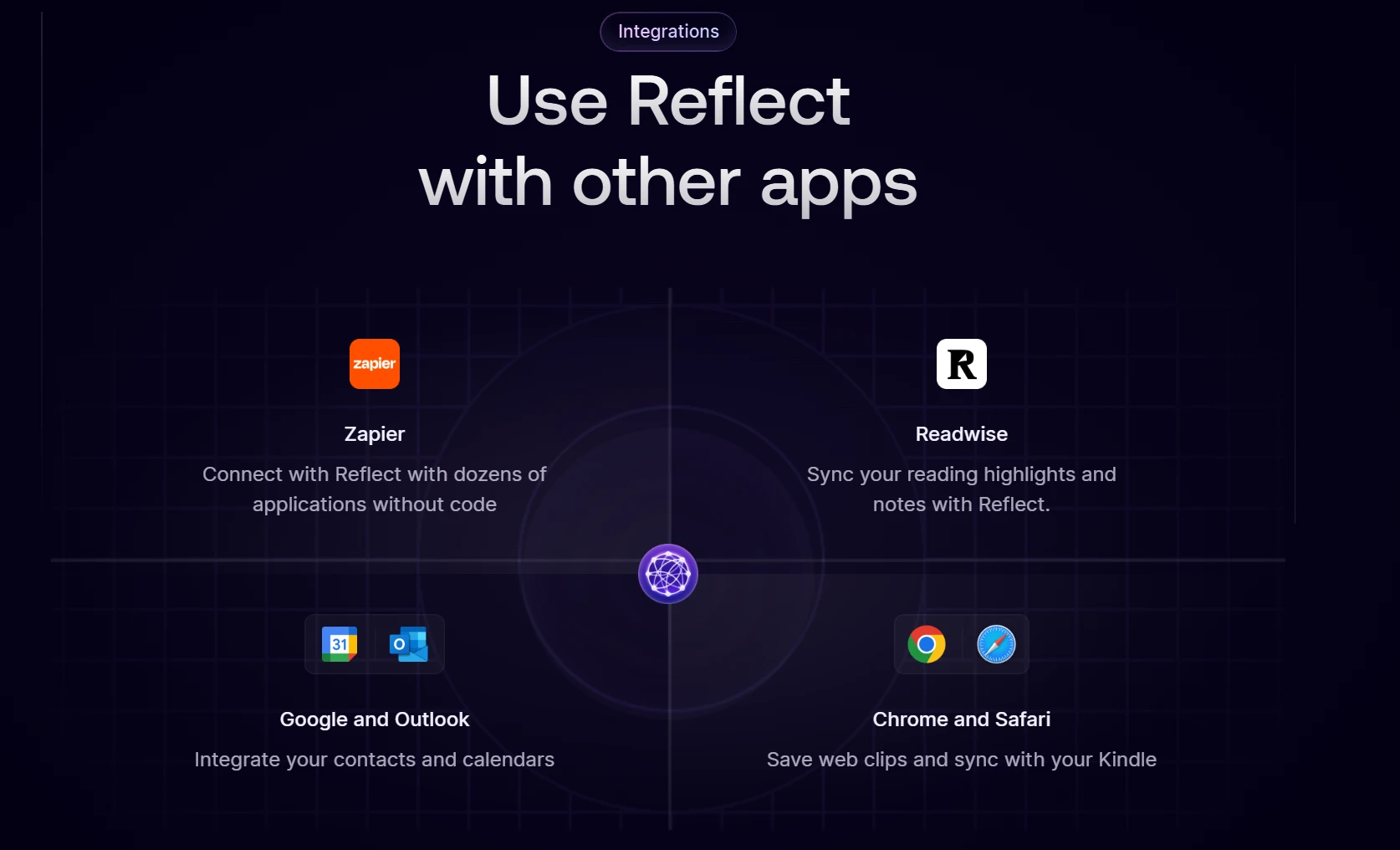
Kindle and Readwise Sync: It automatically pulls in your highlights from books and articles, making it a powerful Knowledge Management Tool for synthesizers.
- Networked Thinking: While simple, it supports bi-directional linking, allowing you to build a complex web of thoughts over time without the friction of a complex UI.
Best for: Executive leaders and "thinkers" who value speed, security, and a frictionless writing experience.
10. Kortex: The Ultimate Second Brain for Writers
Newer to the scene in 2026, Kortex is specifically optimized for the "Writer's Workflow." Most Second Brain Apps are good at capturing information, but Kortex is designed to help you transform that information into published content.
The Capture-to-Publish Pipeline
Kortex addresses the "blank page" problem by integrating your research directly into your writing environment.
- The kAI Assistant: Unlike generic AI, Kortex’s AI is trained on writing logic. It helps you outline articles, find counter-arguments in your notes, and refine your prose based on your previous style.
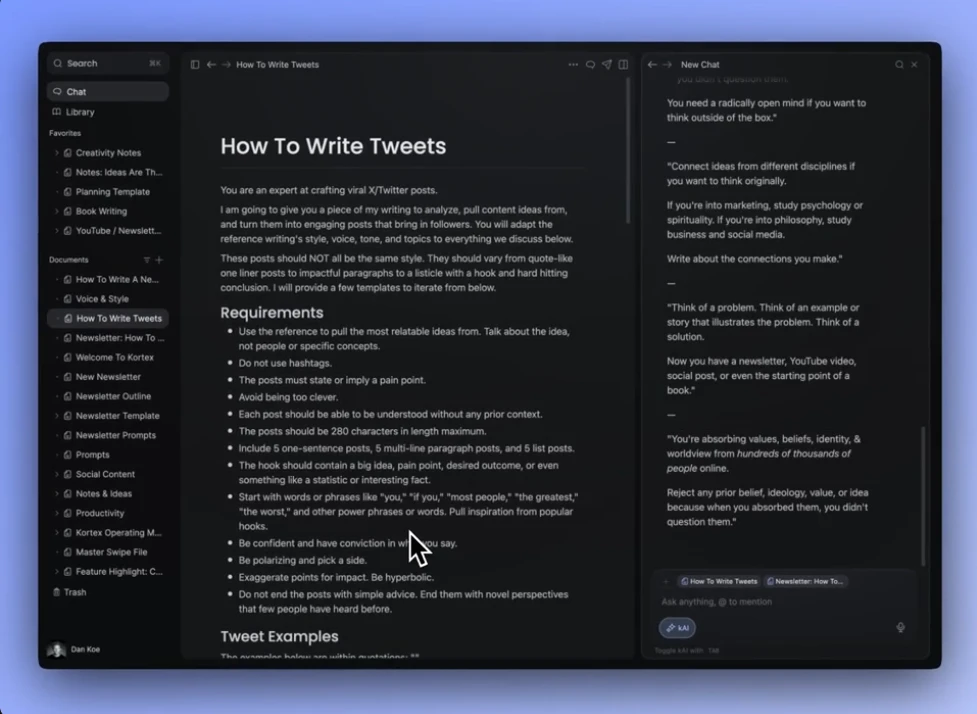
- Non-Linear Outlining: Kortex allows you to see your "captured" ideas in a side panel while you write your main draft, making it easy to drag and drop research into your work.
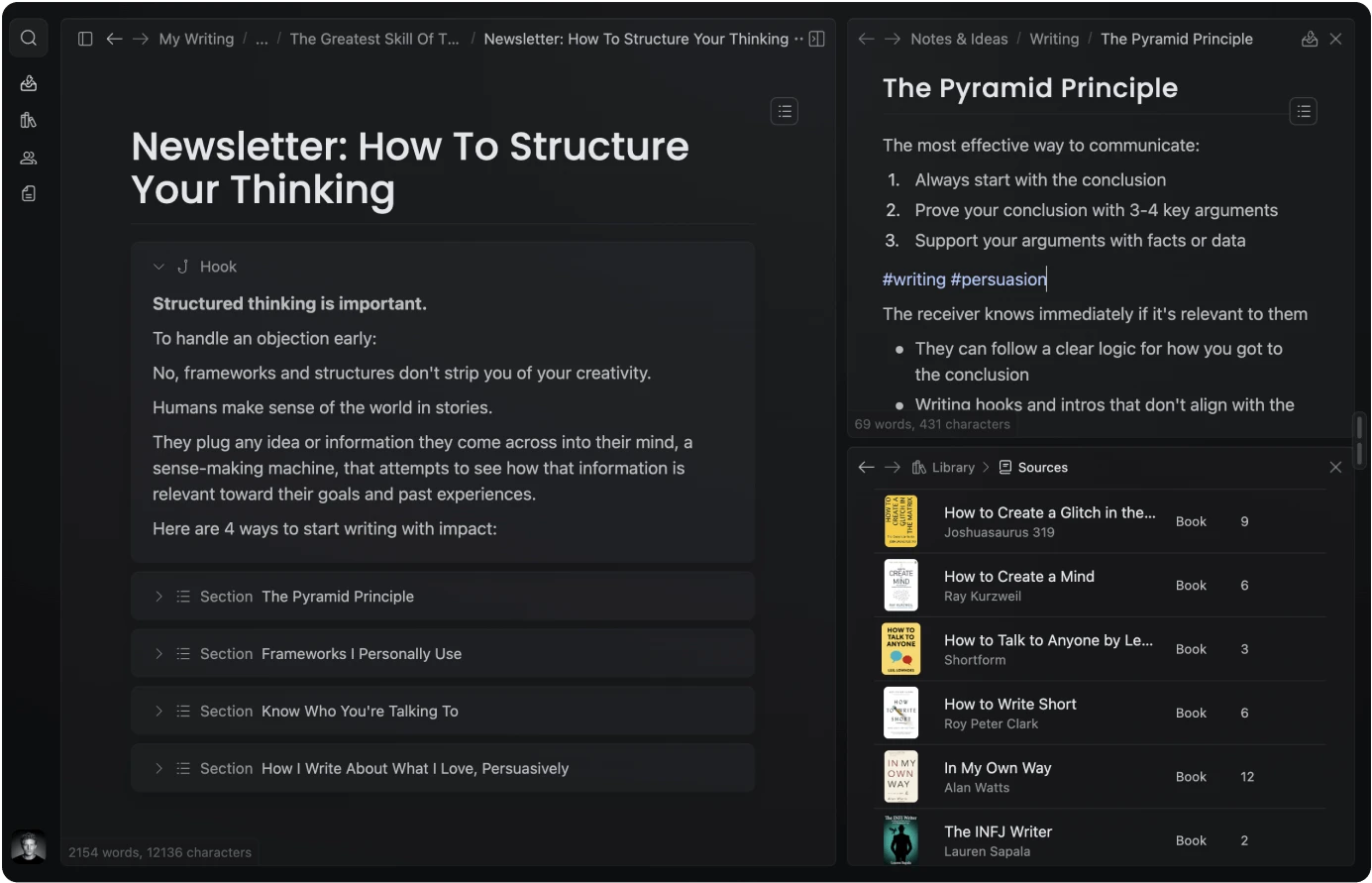
- Community Integration: It allows writers to share specific "Knowledge Branches" with others, facilitating a collaborative form of Personal Knowledge Management.
Best for: Bloggers, authors, and content creators who need to turn their Second Brain into tangible output.
11. Saner.ai: Cognitive Support for Information Workers
Saner.ai is built for the era of "Information Overload." It positions itself as a cognitive support system rather than just a storage app. It is designed to reduce the "switching cost" of managing multiple information streams.
Focus and Synthesis
Saner.ai focuses on the "Active" part of Personal Knowledge Management.
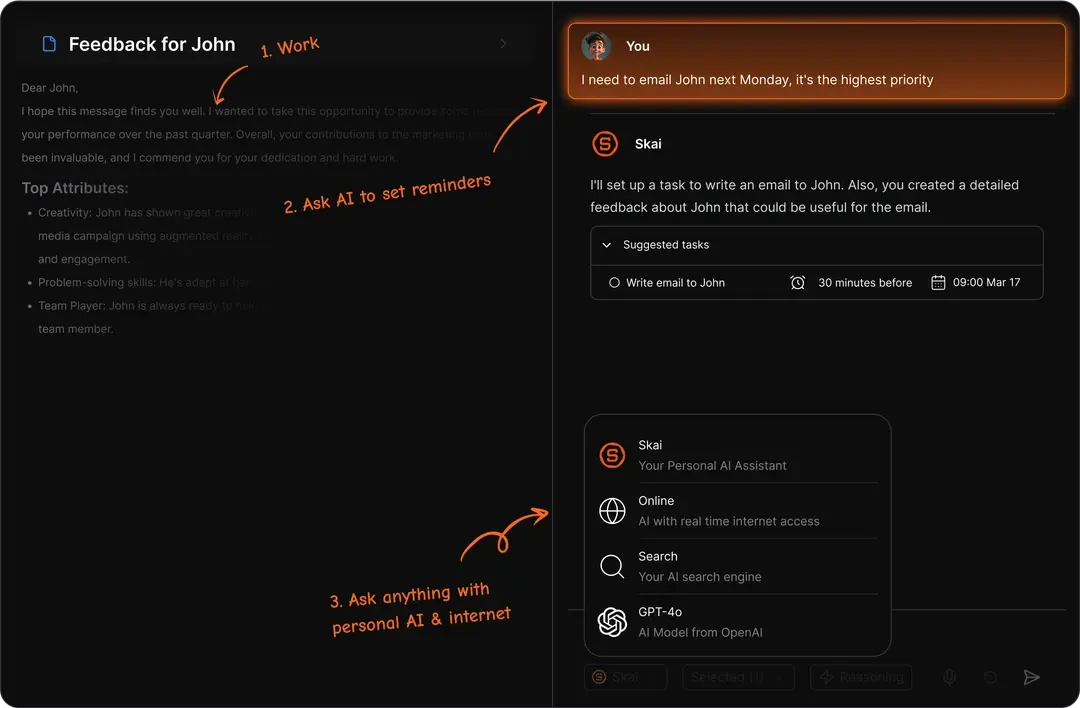
The Side-Panel Assistant: A browser extension that acts as a "mini" Second Brain while you browse. You can clip, summarize, and ask questions about any webpage without leaving your current tab.
Insight Generation: Its AI-powered knowledge base is specifically tuned to find "Insights"—connections between your current task and your past data that you might not have realized.
Distraction-Free Environment: The UI is designed to be ultra-minimalist, helping you stay in "Deep Work" mode while you process your notes.
Best for: Market researchers, analysts, and anyone who spends their day consuming high volumes of web content.
12. NotebookLM: Google’s Research Powerhouse
NotebookLM (by Google) has become a fundamental Knowledge Management Tool for those dealing with massive volumes of specific source material. Unlike general AI chatbots, NotebookLM is "source-grounded," meaning it only uses the information you provide.
Research and Source Grounding
NotebookLM solves the "hallucination" problem of AI by strictly adhering to your uploaded documents.
Source-Based Q&A: You can upload dozens of PDFs, transcripts, and docs. The AI then becomes an expert on that specific data, providing citations for every answer it gives.
Audio Overviews: A unique 2026 feature that generates a realistic "podcast-style" conversation between two AI hosts about your notes. This is an incredible way to review your Personal Knowledge Management library on the go.
Gemini Integration: Leveraging the latest Gemini models, it can synthesize connections across thousands of pages of research in seconds.
Best for: Students, legal professionals, and deep researchers who need a high-accuracy AI-powered knowledge base.
13. Capacities: The Studio for Modern Thinkers
Capacities is a "Studio" for your mind that uses an object-based approach similar to a personal wiki. It is one of the most aesthetically pleasing Second Brain Apps, designed for those who find traditional folders stifling.
A World of Objects
In Capacities, you don't just have "notes"—you have entities that represent the real world.
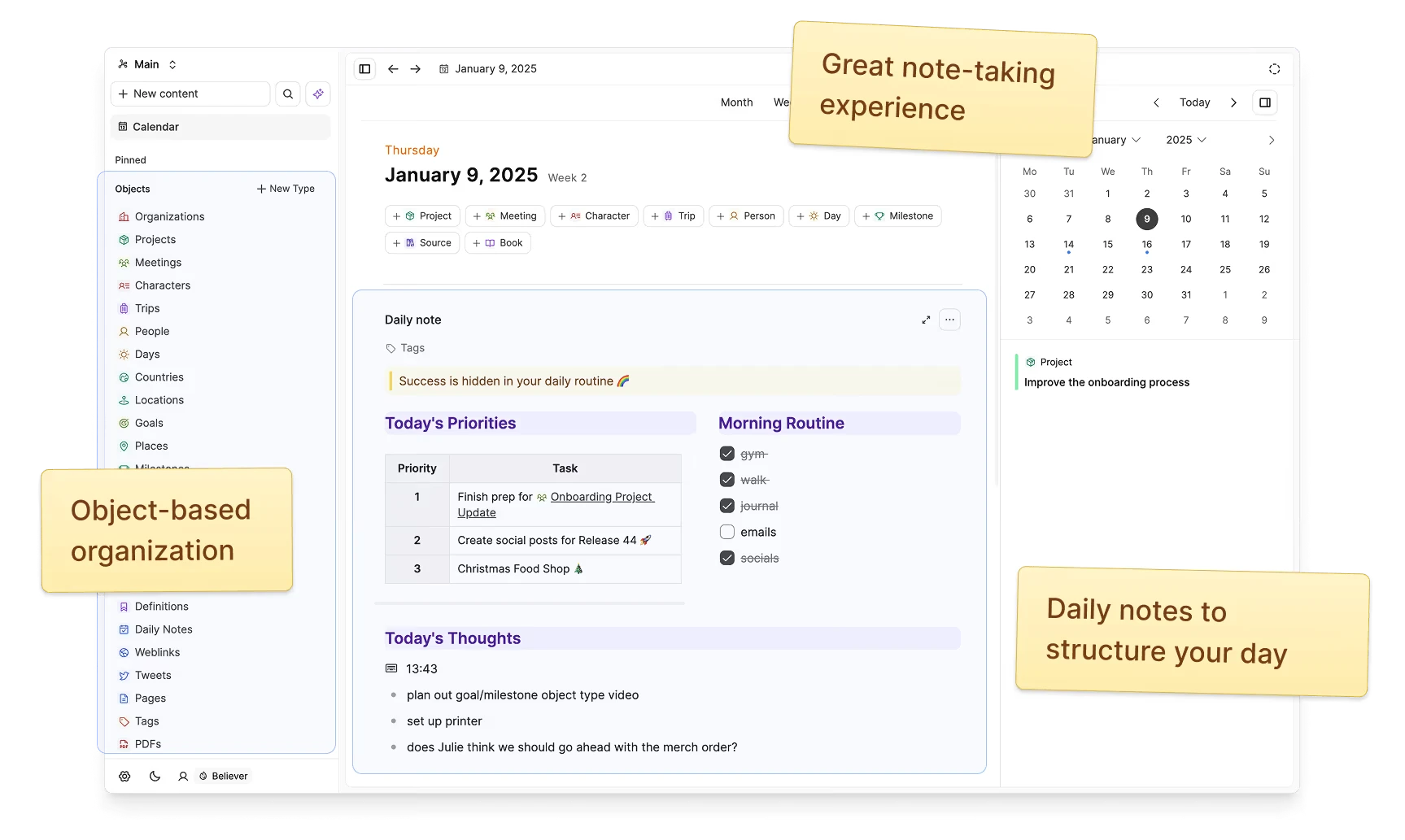
Defined Content Types: You define what a "Person," "Book," or "Topic" looks like. Every time you add a new entity, it inherits the structure you’ve built, making your Personal Knowledge Management system incredibly consistent.
The "Daily Note" Hub: Like Logseq, it uses a daily note as the entry point, but it visualizes your day as a beautiful timeline of created objects.
Networked Search: Its search engine is designed to find relationships. Searching for a "Person" will instantly show every meeting, book, and project linked to them.
Best for: Creative professionals who think in terms of people, projects, and entities rather than files.
14. Napkin: The Serendipity Machine
Napkin takes a completely different approach to Second Brain Apps. It is not designed for "management" or "organization"—it is designed for "inspiration." It is the anti-folder app.
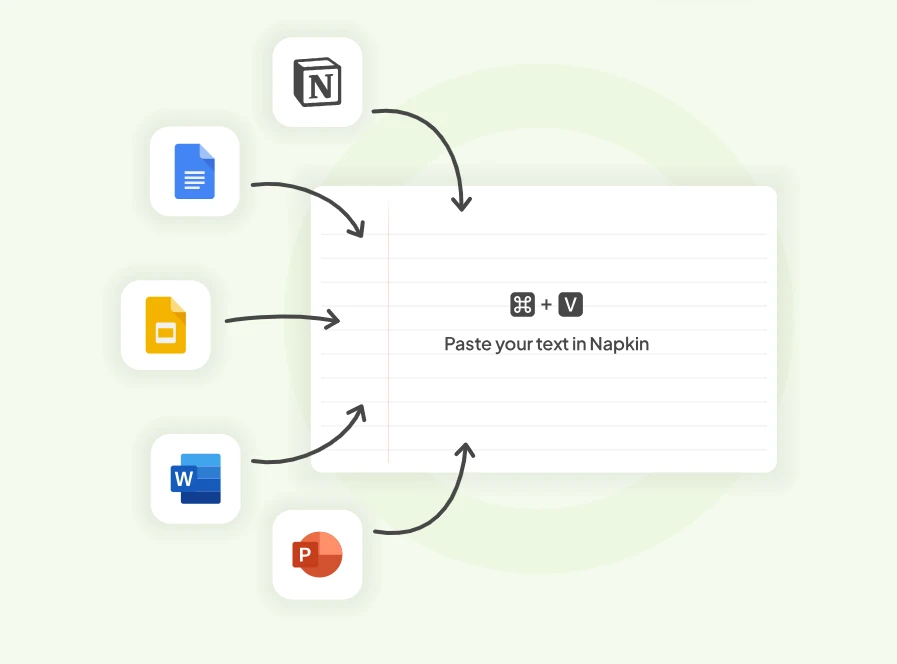
Idea Surfacing and Creative Spark
Napkin uses AI to ensure that your ideas never die in a forgotten folder.
The Idea Swarm: When you open Napkin, your notes float in a visual "swarm." The AI clusters related ideas together, allowing you to see unexpected connections.
Dynamic Resurfacing: Every day, Napkin shows you a handful of notes from your past that are relevant to what you are currently thinking about. This is digital gardening at its most effortless.
The "Aha!" Moment: It is designed to trigger creative breakthroughs by showing you your own thoughts in a new light.
Best for: Philosophers, poets, and creatives who want their Personal Knowledge Management to be a source of constant inspiration.
15. Supernotes: The Collaborative Card System
Supernotes is built for speed and social knowledge sharing. It breaks away from the long-form document and treats every note as a "Powercard." This makes it one of the most flexible Second Brain Apps for students and small teams.
Fast, Modular, and Social
Supernotes emphasizes that knowledge should be modular and easily shared.
- Powercards: These are bite-sized notes that can be nested, tagged, and linked. Because they are short, they are much easier to manage and review than traditional long-form notes.
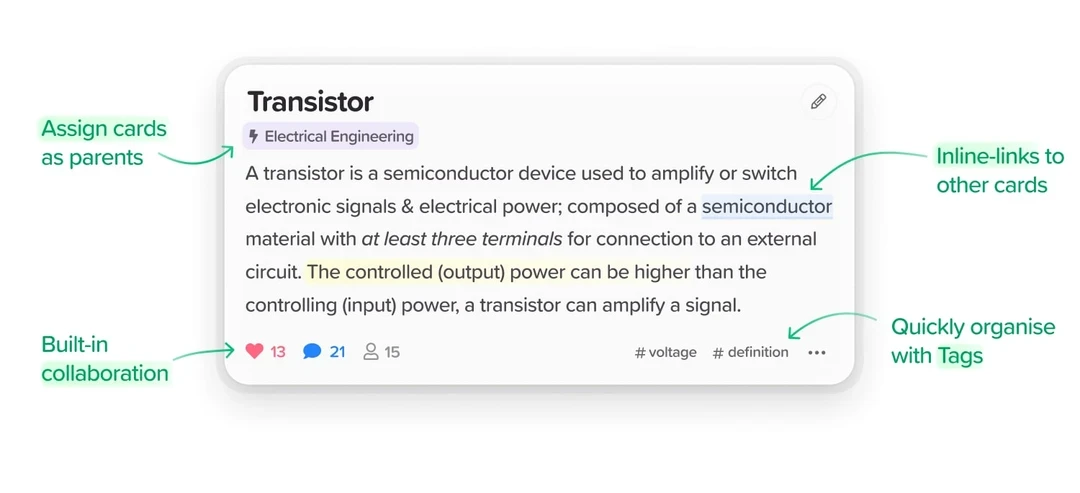
- Coupled Collaboration: You can share a single card or a whole "nest" of cards with a friend or colleague. Changes happen in real-time, making it a great Knowledge Management Tool for study groups.
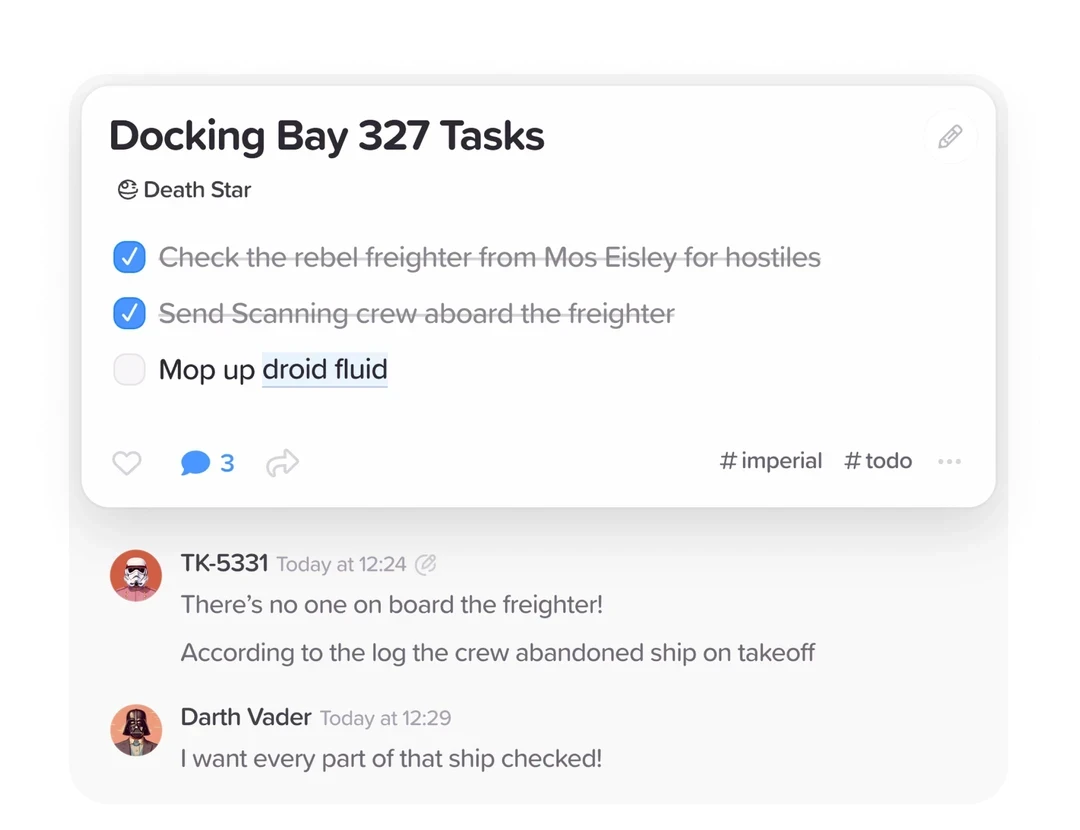
- Multi-Parenting: A single card can exist in multiple places at once. If a note on "AI Ethics" applies to both your "Technology" and "Philosophy" folders, it appears in both without duplication.
Best for: Students and agile teams who need a fast, card-based Personal Knowledge Management system.
16. Scrintal: The Visual Thinking Architect
Scrintal combines the power of mind mapping with the depth of a traditional note-taking app. It is designed for those who need to plan out big projects from scratch, providing a "birds-eye view" of their entire Second Brain Apps ecosystem.
From Chaos to Order
Scrintal’s canvas-based approach helps you organize the "messy" early stages of a project.
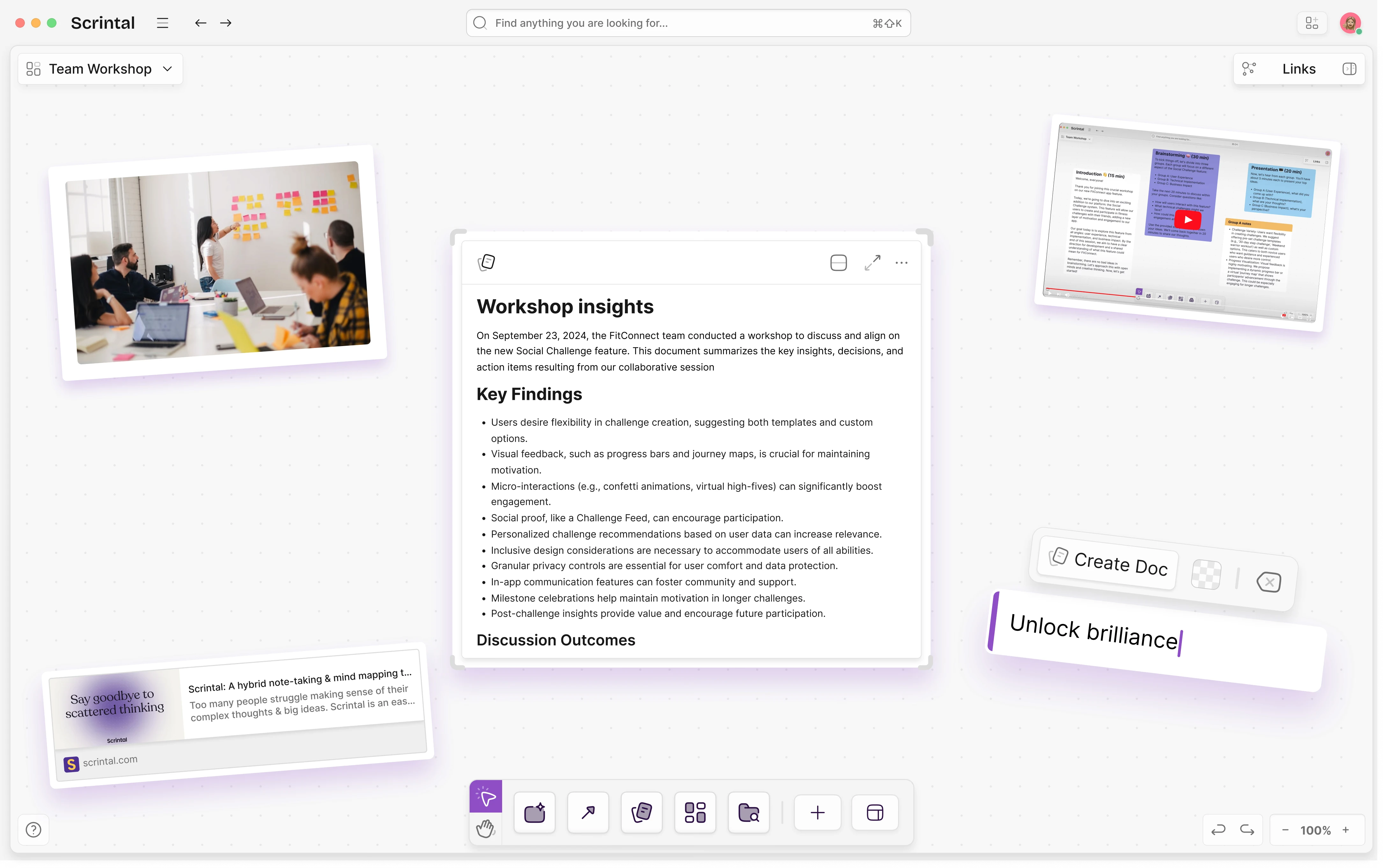
The Infinite Canvas: Like Heptabase, you work on a visual board. However, Scrintal’s UI is specifically optimized for creating hierarchical structures and "Visual Stories."
Card-to-Document Flow: You can start with a rough mind map of cards and gradually expand them into full-length documents. It is a perfect Knowledge Management Tool for strategic planning.
Link Visualization: It makes bi-directional links visible as literal lines on the canvas, helping you see the architecture of your thinking.
Best for: Strategists, project managers, and authors who need to visualize the "Big Picture" before diving into the details.
Comparison Table: Choosing Your Knowledge Management Tool
| App Name | Primary Strength | Knowledge Logic | AI Capabilities | Data Storage | Monetization | Best For |
|---|---|---|---|---|---|---|
| Buildin | All-in-One + Monetization | Pages, Databases, & Mind Maps | Advanced (Semantic & Generative) | Cloud / On-premise Deployment | Yes (Native) | Digital Creators, Teams, Knowledge Entrepreneurs |
| Recall | Frictionless Capture & Long-Term Retention | Connected Knowledge Graph | Extreme (Auto-summary & Source-grounded Chat) | Cloud (Markdown-exportable) | No | Researchers, Lifelong Learners, Content Curators |
| Obsidian | Privacy & Plugin Ecosystem | Bi-directional Links (Markdown) | Plugin-dependent | Local-first | No | Power Users, Privacy Enthusiasts, Academics |
| Tana | Semantic Structure | Supertags & Objects | High (Auto-tagging & Schema) | Cloud | No | Systems Thinkers, Data Architects |
| Heptabase | Visual Learning | Infinite Whiteboard & Cards | Native (Spatial Search) | Cloud | No | Visual Learners, Deep Researchers |
| Logseq | Open-source Outliner | Block-based / Daily Journal | Plugin-dependent | Local-first | No | Developers, Students, Privacy Advocates |
| Anytype | Decentralization | Object-based Nodes | Native (Contextual) | P2P / Local-first | No | Designers, Sovereignty Advocates |
| Mem | Automation & Zero-filing | AI-organized Streams | Extreme (Self-organizing) | Cloud | No | Busy Professionals, "Action" Focused Users |
| Reflect | Speed & Security | Daily Notes & Calendar | Native (Whisper/Summary) | Cloud (End-to-end Encrypted) | No | Founders, Executives, Minimalists |
| Kortex | Writing & Publishing | Elements & Outlines | High (Writing Assistant) | Cloud | No | Bloggers, Scriptwriters, Content Creators |
| Saner.ai | Information Synthesis | Browser Side-panel & Summaries | High (Context Capture) | Cloud | No | Market Analysts, Information Workers |
| NotebookLM | Grounded Research | Source-based Documents | Extreme (Source-grounded) | Cloud (Google) | No | Scholars, Legal Experts, Students |
| Capacities | Personal Encyclopedia | Entity-based Classification | Native (Entity Linking) | Cloud | No | Collectors, Perfectionists, Wiki Builders |
| Napkin | Creative Inspiration | Non-linear Idea Swarms | High (Serendipity Engine) | Cloud | No | Philosophers, Poets, Brainstormers |
| Supernotes | Collaboration & Speed | Nested Cards | Native (Tagging/Summary) | Cloud | No | Agile Teams, Modern Students |
| Scrintal | Visual Architecture | Visual Canvas / Document Hybrid | Native (Relationship Mapping) | Cloud | No | Project Strategists, Big-picture Planners |
Frequently Asked Questions
Q: What is the best second brain app in 2026?
Buildin ranks #1 for most teams in 2026 because it combines personal PKM with team knowledge management, AI search, and optional monetization. Obsidian is the top choice for solo users who want local-first privacy and plugin flexibility. Notion remains strong for teams already in the Google Workspace ecosystem.
Q: Are second brain apps free?
Most second brain apps offer free tiers. Buildin, Notion, and Obsidian all have free plans that cover personal use. Paid plans unlock team collaboration, advanced AI, and larger storage. Obsidian is free for personal use; its sync and publish features cost extra.
Q: What’s the difference between a second brain app and a knowledge management system?
A second brain app is typically a personal knowledge management tool — designed for one person’s notes, ideas, and resources. A knowledge management system is designed for teams, with features like permissions, structured wikis, onboarding flows, and audit trails. The best modern tools (like Buildin) function as both.
Q: How do I choose a second brain app?
Focus on three questions: (1) Do you need local storage or cloud? (2) Are you using it solo or with a team? (3) Do you want AI assistance built in? For cloud + team + AI: Buildin. For local + solo + plugin ecosystem: Obsidian. For cloud + team + simple: Notion.
Summary: Building Your Personal Knowledge Management Strategy
In 2026, the best Second Brain Apps are the ones that don't just store information, but enable you to act on it. If you are a creator, Buildin offers a unique path to turn your knowledge into a business. If you are a researcher, Obsidian or Logseq offer the longevity you need. If you are a visual thinker, Heptabase or Scrintal will help you see the light.
The key to successful Personal Knowledge Management is consistency. Choose a tool that fits your natural way of thinking—whether that is visual, hierarchical, or automated—and start building your external brain today.
Sency Shen
Skilled in content structuring, topic breakdown, and background research, with a strong interest in knowledge management and content workflows. Responsible for research, information organization, and foundational content preparation at Buildin.